Tuesday, October 30, 2018

Inquiry Group - Results Analysis

I have just completed packaging up the students work to send away to Wellington to be externally marked so they have no more time on their projects.
I have done an analysis of the internal standards that the students in my inquiry group (my Year 11 class) have completed over the year and compared them to the previous 5 years.
I have had 13 Year 11 students doing Level 1 this year which is the largest group that I have had.


AS91069 - Promote an organised body of work to an audience using visual communication techniques - 4 credits

AS91067 - Use the work of an influential designer to inform design ideas - 3 credits


AS91066 - Use rendering techniques to communicate the form of design ideas - 3 credits

AS91068 - Undertake development of design ideas through graphics practice - 6 credits

External Submission Deadline

These last two days have been extremely busy. The pick up for my Design and Visual Communication NCEA Level 1, 2 and 3 is on Wednesday morning and all the work needed collating and bagging up. It is always a very stressful time as I always have to mark the last project as it is going into the bag!
I prepare the sketchbooks by sticking information on the front of it. There is an example here. I put a shortened link to their portfolio Google Site as this contains all of the research they have done for their projects. It is much smoother sending the research this way as I used to have to print it all and that was ridiculous.
I used Bitly this year because if you make an account, you can personalise the links instead of them being a random selection of letters and numbers.
An example is here:-

School - Tamaki College
No - 57


Level 1 DVC Project Links
Name - Kayle XXX
NSN - XXXXXXXX


Link to site
bit.ly/KayleLevel1


(Please ensure to type capitals and small letters when entering the url address)


I then lay out all the folders onto their plastic bags and make sure they are ticked off on the check list. The whole check list process was different this year so that meant reading the instruction booklet and underlining the important bits to make sure i was doing everything correctly.


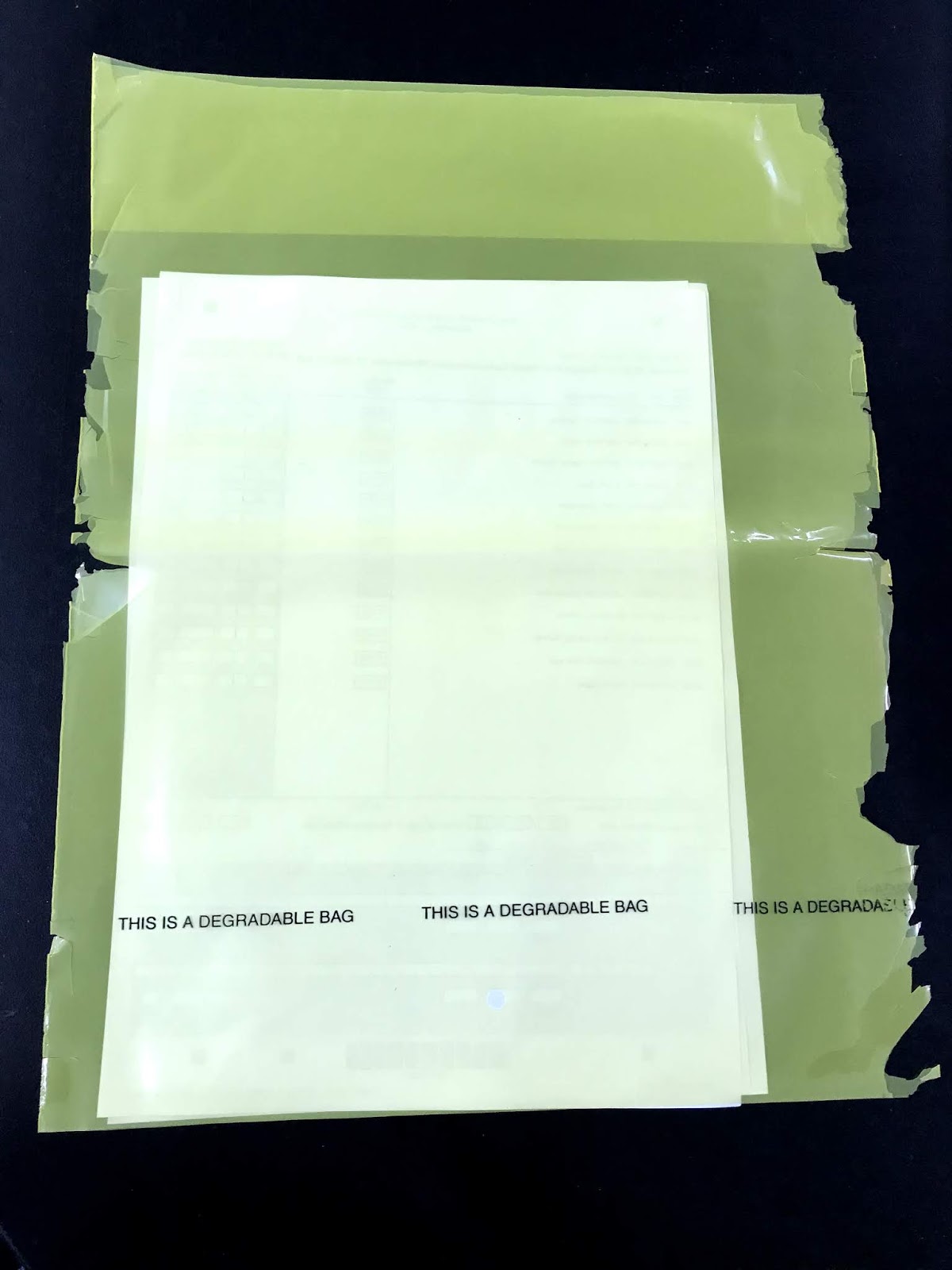
Another difference is that I don't have to email or fax the check lists through. They go into a bright yellow bag so it is easy to see in the posting bags with all the projects.
It had a sign on the bag saying that it was degradable. While I appreciate them starting to use degradable plastic, I think it should last for the life of the job it has to do. This is the state of it when it arrived!


Wednesday, October 17, 2018

Preparing for Jumpstart


Half way through this term, our Year 10 students move up into Year 11 and start their NCEA Level 1 courses. The standard we for this last year was the one that was moderated externally this year and I had PD and support this year to improve my planning. As a result of this PD, I am doing a Technology stand for Jumpstart instead of my usual DVC one. 
AS91057 - Implement basic procedures using resistant materials to make a specified product
We are going to design and make a pull along toy that will be made on the laser cutter and our theme will be Steam Punk.

I have put everything for the project onto a new site where I have broken it down into individual tasks. As part of the planning, I have been picking the brains of a fellow teacher of DVC who has taught this standard and he has made sure that I have covered everything that I need to as this standard is a new one for me.

When I plan a new project, I always like to work through all the activities that the students have to do myself. This gives me an idea of time scale, where any speed bumps might occur and has the added bonus of giving me examples to show them before they start.
As the theme is steam punk, I thought I would have a try at drawing on brown paper. I am really enjoying this so have bought the students lots of brown paper, sketch books, marker pens and coloured pencils. I am making examples of the design tasks that they have to do as well as making some skills sheets to see how the new media work together. This is where I am up to at the moment with this.


I like the fact that this planning is giving me lots of new ideas and techniques that I can use with my other classes.

Friday, October 12, 2018

Manaiakalani Class OnAir Lesson 12 - Class Presentations


Link to Manaiakalani Class OnAir to see the whole team.

Link to Extended Lesson Plan Here

Direct Instruction

I took the students through an example of talking about a design development of a mobile phone. I talked about what I had done, why I had done it and the effect the changes had.


Class Site Content
Random number generator

I used the Google random number generator and then put these numbers to where the students names are on Kamar. This list was written on the board so they could see where they were in the sequence.


Google Plus Community

I have put the videos here for the students to access. They can put them on their portfolio sites as evidence of analysis.

Learner Generated Content

Ivan
Talks about the development of his virtual reality headset design.

Tyli
Talks about the development of her virtual sword / cosplay design.


Haarera
Talks about the development of his communication device worn on the wrist.


George
Talks about the development of his hand held game controller design.


Chelsea
Talks about her hologram ring design.


Johnson
Talks about his fitness watch design.


Sean
Talks about his fitness watch design.


Vaifoa
Talking about his gaming ear piece.

Manaiakalani Class OnAir Lesson 11 - Design Development Timelines


Link to Manaiakalani Class OnAir to see the whole team.

Link to Extended Lesson Plan Here

Direct Instruction
The instruction was in two parts, over different lessons. To start with, the students are laying out their design developments in the order that they completed them so you can see the progression that they have gone through.
Then they are answering questions to explain what they did, why they did it and the effect these changes have.


Class Site Content


These are the support questions we had on the board during the analysis part of the task.

How will this design fit a person?

How practical is this design?

What could it possibly be made from?

How have I changed this design from the previous one?

What effect has this had on the design?


Learner Generated Content