Showing posts with label pdf. Show all posts

Tuesday, April 1, 2014

I'm a Monkey Lover I am !!!

I am becoming an increasingly bigger and bigger fan of Pic Monkey. I subscribe to their emails, blog and follow them on Google Plus. The blog is an endless source of tips and tricks, and yes I know it is trying to sell me something too, but the graphic design information, tutorials and tips are great.
So I had a plan to try and use PicMonkey to design the pages of a book. I started out small and I am making pages about design terms, then I can use it with all of my classes.
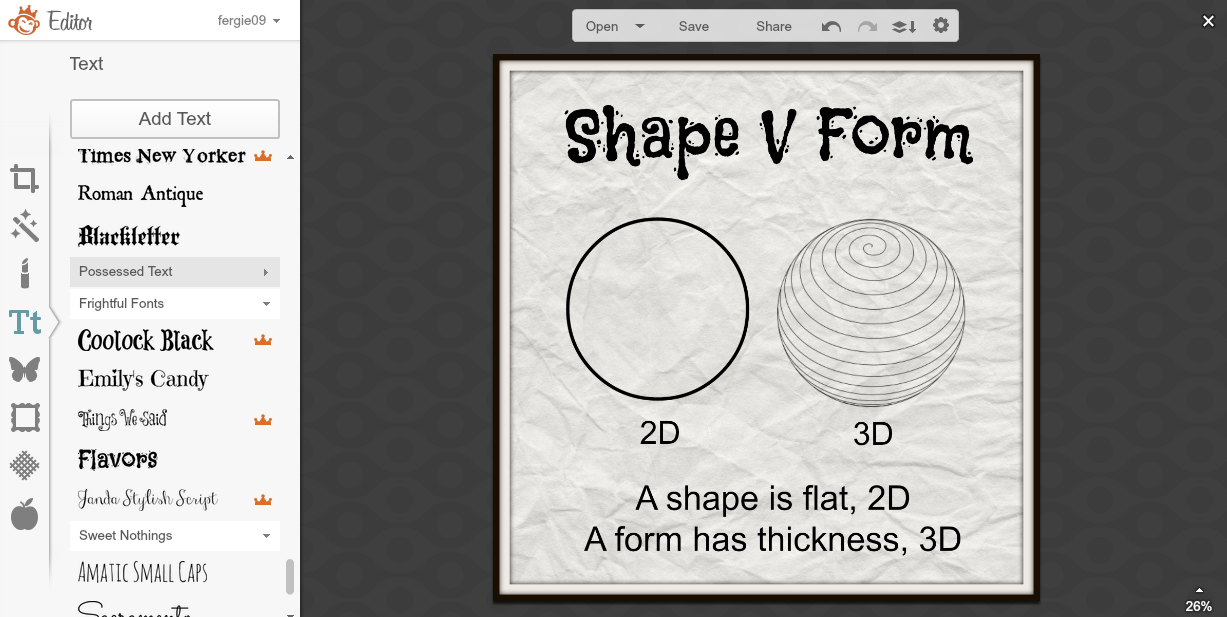

Adding textured backgrounds, my own images in overlays, choice of fonts ... I am really enjoying this. I decided on a square format for my book, as this is less formal than a rectangular set up. The design option on the top of the PicMonkey front page gives you plenty of options.


When I am happy with my pages, I am saving them as image files which I am then putting into Adobe Acrobat Pro to create a single PDF with the individual files.
An example of an online app that does this is linked here... Convert JPG to PDF.net


The next step was to get the book into a format that is viewable on a site. I have used Flipsnack before so I decided to try this out to see what my book looks like.
I haven't done many pages yet as I was too excited to see what it looked like. No patience!!
I am pleased with the result and am happy that it is so easy to do, so when I get students onto this, they can concentrate on the content, not a really complicated sequence of events.


So now I need to stop blogging about it and get on with finishing the book!!!!
Now what can I get my students to make???.....
Level 2 students could create a book about their Art Deco research instead of a slide show?
Level 1 students could create a book about their chosen architect rather than a poster?.. They could still use Adobe Illustrator skills to create the image layouts.
My year 10 students could do the layout planning for their children's books like this.
The good thing is that it is an online app, so available where ever the students are online, the students are all familiar with it so there is very little lead in to the production and they don't need me to be there "guiding" them all through it. They can make all their pages the then the book "production" is really quick and easy.
Lots to think about....

Thursday, August 29, 2013

Flipping Great!!!...

I found a great iPad app recently called, Book Creator. I was very interested in having a go at this as I have quite a large collection of really good design books in my class room, but most of them have way too much in them and tend to put the students off a little. I thought that something like this app would give me the opportunity to cherry pick  what I wanted to put across to the students and illustrate it myself. The options on this app are to upload to iBooks or output as a PDF. I was going to go the PDF direction and link these over to my DVC site.
This plan changed yesterday when Dorothy introduced me to an online little gem called FlipSnack.
On this, you can upload a PDF and it converts it into a really cool little book that you can turn the pages of. The embed code gives you the chance to embed this where you want!

Here is a short sample of my book. I have only got the first section of it completed yet so it needs a lot more work, but I was too excited by this not to have a go.
I can see all sorts of things coming from this small start!!!

I have just tried it on my site and embedding the code works really well... have a look here.
I have just noticed something too.... there is a little of the writing missing from the front cover as I had to change the font from Apple Gothic, as this came out blank when I uploaded it. I went through the book and changed all the fonts to Helvetica ( fairly standard ), but I missed one little section on the front. Learning, learning...