Showing posts with label project planning. Show all posts

Sunday, February 23, 2025

Planning for AS91306 - Level 2 Visual Art

 This year, alongside my Level 1 Visual Art class, I have 1 Year 12 student doing Level 2 Visual Art / Painting. He is with me as he did not want to do sculpture, which is the focus of the other Visual Art teacher in the department. I taught this student last year when he did Level 1 Visual Art and I know that he is a very self motivated student so I thought that this situation, while not ideal, would be OK. This is my first time teaching Level 2 Visual Art so we are working through it together!

This is where my planning is up to so far. My student has chosen his two artist models and we are focusing on still Ife. To be honest, as this is my first time through this, I am leaning heavily on this resource form TKI.

We have looked at the NZQA exemplars - Link here 

We have talked about choosing 2 artist models. One more traditional and one contemporary. Link here to the page on the class site.


As my Y12 student has been with my Year 11 class, we have all been doing media experiments to get us warmed up, so for painting, he has also been doing some copying of one of his chosen artists. He was introduced to water colours last year in Y11 and he loved them so he automatically went to that media choice to do his copy. Since then, I have bough some oil paints for him to try. He has had a firs try and I have put together some resources he can watch while he is practicing. Link here


Our nest step is to start analysis of the paintings of 2 artist models. This is stepping up from last year when we did AS91914 but we have to look at design elements a lot more and how they were used to create the narrative in the work. Link to the page on the class website


This is the template for the collection of the information. How this is presented is up to the student.


Saturday, September 7, 2024

Using Templates to Support in Visual Art - AS91914

 When you are starting a new page in a sketchbook, there is nothing worse than sitting looking at a blank piece of paper. 

To help with this, I made the students some templates on paper to work on their two artist models. I photocopied the templates onto wet strength cartridge paper we i knew we were going to be painting and printing and doing collage work as part of the media experiments.

This is the template for the Henri Rousseau work - link to document


Here is the student work produced from using this template. The students cut out the media experiments and presented them into their sketchbooks.


This is the Margaret Aull template that we used. I put instructions for different media to be used on this one. Link to the document


Here is the student work produced from using this template. The students cut out the media experiments and presented them into their sketchbooks.


We are now onto thinking about our own work and we are using the work from AS91912 - link to blog post. and the influence of one of the artist models that we have looked at.
 I do not want the students to be put off by suddenly having a big blank piece of paper staring at them so I have made a template for them for this step too - link to document


This presentation is from my sketchbook and shows how we can cut up this template to arrange into our sketchbooks the same as before. I am really enjoying seeing how individual the students are making their sketchbooks with how they are laying them out. I am looking forward to seeing their ideas about their own piece of work and reading their notes about what their ideas are about.


Wednesday, August 14, 2024

Planning for Visual Art AS91914

 My Year 11 Visual Art students have worked through their first internal standard and are now onto working on the external they are entered into, AS91914 - Explore Visual Arts processes and conventions to inform own art making.

We have been enjoying the experimental aspects of this standard. The first thing that we did was to try out the new gel plates  - link to blog post here.

We then started looking at the first of the two artist models we are using this year, Henri Rousseau. I am using this as a way to experiments with different media with the students. They have not had much experience of different art media so I made a worksheet where they looked at Rousseau's work and used a selection of different media to copy sections of it.

Link to document


The students have been doing some reading about Henri Rousseau - Link to blog post here , and they had to use this information to answer a series of questions and add this information into their sketchbook presentation. Here is the link to class site page with the Rousseau information, instructions and questions.

As usual, I always do an example alongside the students. Here is my sketchbook page so I can show them what I want them to do. We are only using 1 page for this work as we can only use 8 pages for this standard as a whole. I wanted them to. cut up the worksheet and present the Rousseau information and media experiments in a visually attractive way.


Next week, we have out Careers expo, so I have been photographing the student work to make an exhibition for visitors to the expo to look at. For part of that, I have made two posters of the student's Rousseau work. One of all the tigers that they drew and one of the different media that they have used. I have made these posters A1 sized so they look really good and you can see the student work clearly.
Link to Tigers document


Our next step is to go through tis same process with out end art ist model, Margaret Aull - link to site page
The students will then use the information collected from the first standard - link to site page - with the style of one the the artist models and produce a piece of work of their own design.


Thursday, June 27, 2024

Mono Printing with Gel Plates

 I have been watching videos on how to use gel plates for printing for a while now and I have bought myself some gel plates to play with at home. I have been enjoying my experiments and wanted my Year 11 Visual Art class to use this skill / technique on their work this year.

I have set up some videos for the class to watch on the class website - link here

I showed them a couple of techniques at the beginning of the week and we had a go.

These are some photos of the students from this first session.


Here are some of their prints from this first session - link to presentation here


We then watched some of the videos in the class and I sent them to them to watch at home.
At the beginning of the next lesson, we went for a quick trip down the creek to collect things that we can press into the gel plates.
I also had a go at cutting some texture mats out on the laser cutter for the students to use. We tried them in thin card to start with but they fell apart while we used them. Cutting them out of EVA foam sheet worked really well.

Here are some photographs of the work from this second session - link to presentation here

Monday, April 22, 2024

Year 11 Visual Art Trip to Auckland Museum - Planning for AS91912

 My Year 11 Visual Art class are currently working on AS91912. So far, we have looked at the school Taonga and have done some research and sketches to do with that. Blog post here

We have recently been on a class trip to the Auckland Museum marae. We had a great guided tour around the marae in the museum, where he told us all about the history of that marae, whose it was, why it was built and why it was there in the museum. We were also given the opportunity to have a go at weaving tukutuku.


After the guided tour, we had another hour looking at all the artefacts and sitting and drawing some of them. This was the first experience for the students of drawing while there are other people / members of the public walking round being able to see what they were doing. I was very proud of how well they coped with this as this can be quite a confronting experience.


Since getting back to the classroom, we have been focussed on getting 2 sketchbook pages completed to record this work.

The planning for this is on the class website here.


I have updated the sketchbook pages tracking page with my examples so the students know where they should be up to.
I have also started the assessment page with the presentation template that the students are going to use to submit their completed work. Everything has to be submitted digitally this year so we will have to be very careful to take good quality photographs.

Here is my example so the students are clear what they have to do with their work when it is completed.


As the students use Workspaces for the rest of their classwork in other subjects, I have made a workspace for them to record their evidence onto. I will use this one workspace for all 3 standards this year as they all have to be submitted digitally. Link to workspace page


Tuesday, March 19, 2024

Visual Art Planning - AS91912

 The theme for our work on this standard is Taonga. I am going to be breaking this down into these sections

  1. School Taonga
  2. Personal Taonga
  3. Maori Taonga
We have started on school taonga first as we are lucky to have a sculpture out the front of the school and a school marae. We started this standard bt drawing these first so I could get the students drawing straight away as they start level 1 Visual Art.
We sat outside, in the shade under the trees, drawing the main sculpture in front of the school.


As a class we have broken down what we see as a taonga. We spoke about what is at school and the students came up with the ideas on the diagram, We then spoke about what could be included in the personal list and thype of thing they could use. When they write this one up they have to bulk out the idea with how it applies to them.


We were then lucky to have a visit from Mrs Moore who is one of our deputy principals. One of the things that she is in charge of is the school archive. She came and spoke to us about all the things around the school that we treasure.

This presentation shows the notes that were made while Mrs Moore was talking and the images we looked at at the same time.


Pages that we have worked on so far are included here in this presentation. This standard is a research based standard but I want them to include some drawings too.
The first job was to present the diagrams in a clear way, with details of what they are thinking about for their personal taonga.
The students then had to cut out the photos and there drawings and arrange them into a double page spread in their A3 sketchbook. Then they had to decide which notes to use to annotate the images.


Here is the link to my Visual Art class site - this is DEFINITELY a work in progress as this is completely new this year.
I have been putting photographs of my sketchbook pages on this page so the students can have access to my examples all the time. I have been working on them at the same time as them so they can see the progress.

Our next steps are -
  1. Visit to the Auckland Museum where we are getting a guided tour round the marae and then time to draw in the artefact exhibition.
  2. Taking / finding pictures of personal taonga and doing some drawings from them
  3. Printing patterns from our own cultures that can be used as page backgrounds.
  4. Analysis of how these areas of research intersect to where we are personally.
These will all be translated into more pages in our A3 sketchbooks ready for the 8 pages we need for this assessment.


Friday, January 12, 2024

Feedback to Big Ideas Planning

 I have been using a Big Ideas planning template to think about the first project my year 11 students will be doing with the new NCEA Level 1 DVC standards when we get back to school. Link to blog post here.

I had a great online email, Google comments conversation with Pip Osborne (NCEA Implementation Facilitator), where she looked through my planning and gave me some really useful feedback.

These are the comments from my original planning doc. Link to altered planning doc


This is the information that I was sent with examples of student work using Maori Myths as the influence.

"Here is the examples of student work where they took the Māori Myth on a journey. They are all just aspects of the projects but might help as exemplars. They were all excellence endorsement students just FYI – except the Tane Mahuta example, that was an achieved."

Wednesday, January 10, 2024

Year 11 Planning 2024 - Big Ideas Planning

 2024 is the year we have to start to work on the new standards for NCEA Level 1. We had a great session in the Technology department at the end of the year with AIMHI technology support, Alison Fowkes. 

I had been looking at the new standards and reading the support material for a while and had decided which of the sample course outlines I am gong to use to support my planning. 

I printed this out and noted my thoughts all over it - link to presentation - this print off was part way through last year and there have been changes to the version that is now on the website. This does not bother me too much as it is a guide not a script.


I then converted this into an overall year view of what is to happen when. There is not details of content on this version, it is just to see where I am slotting everything into the year. Link to document


When we had our AIMHI support day, I showed my overall year planning. Alison shared a template that could be used to think about the "Big Ideas" to make sure that everything is covered within a project idea. I converted this template from paper into a Google Drawing - link to template here
I then used this to think about the Big Ideas for the first project of the year which will be designing seating.


Wednesday, September 27, 2023

Playing the BOOST Game with the Whole Staff

 During our last whole staff PLD session, the 5 CoL teachers presented where we are up to - blog post here

At the end of that session, we got the whole staff to play my BOOST game, which is based on inquiry teaching and planning. Blog post here about the BOOST game and where it is on the planning site is here.


After this PLD session, I sent a Google form around to staff to get some feedback about the game.


Were the instructions clear enough?
Yes
From what I could hear, yes. I also read the instructions on the screen. We also had them on a Laptop in front of us as well.
Yes
Yes
Yes
Yes
Yes
Yes
Only when there is tie was not explained .

How did you feel about reading a scenario out in front of your group and then having to come up with a solution?
It was good having to think on the spot as most scenarios in the classroom happen on the spot as well.
Initially I felt nervous but once it was my turn, I was okay.
Interesting as we had some different and some similar ideas of how we would solve the problems.
I liked that the scenarios we could relate to.
Fine, it's very similar to the conversations that we have during the day
I was happy and the scenarios were true to class situations. The feedback encouraged collaboration.
Ok.
very useful
It challenged me to really think what I would do and some I as a teacher should do rather than giving excuses.

How did it feel to get feedback about your answer / idea from the rest of the group?
We didn't really give feedback this time as everyone had a clear strategy on how to handle the scenario.
It felt good getting feedback because what you do, someone else would do differently and you could use it for next time if the time arose.
Good
Felt great & encouraging
Yeah, fine - we were a pretty affirming bunch
Absolutely wonderful and uplifting. Much more, it showed that they were standing with me and saying, "we hear you, we are with you".
It was really good
very useful
It helped me to reflect and how I can improve . Helpful

Did you like giving feedback to others about their ideas on the scenarios?
We didn't really give feedback this time as everyone had a clear strategy on how to handle the scenario.
Yes, it reassures them that their solution is good and also the feedback was constructive
yes
Only sometimes
Yeah, it was fine.
Yes indeed , I did.
Yes
Yes
Yes definitely and a good way to exchange ideas to grow in this profession

How do you think the game could be improved?
Possibly give some scenarios that aren't as common, so we can learn how to handle them if needed (although we didn't get through too many cards, so maybe there were some in there).
More time given to verbally give instructions. Have the cards ready for players, as it what hard to figure out who needed what card from the pack. The scenarios could be a different colour from the rest, to stand out more.
Nothing at the moment
Great as is
Go cards-against-humanity style, where people have a certain number of cards to play, and the person who read the card has to match answers up with players.
Have written instruction explaining how to play the game and even add some point system to it.
?
good enough
I find it very interesting. I don’t think it needs improvement.

What was the best part about playing the game?
Hearing how other teachers would handle the different scenarios, as it gave me some ideas on how to approach similar interactions with students.
The support you give and get within the group about your scenario and solution. It gets those who usually don't speak, a chance to speak.
Listening to others solutions
sharing with other teachers and hearing what they do in the same situation.
Laughing with new people

Answering the question and giving feedback.
Sharing of ideas and listening to what others have to say
Learning about different opinions
Collaboration between the members .

Here are some of the staff playing the game


Saturday, June 17, 2023

Planning Support - Card Game

 I have blogged about my planning support work with my 4 teacher trainee mentees before

Planning Support


Since then, I have started talking to them about Teaching as Inquiry and about how it should be an ongoing thing. I spoke about this to the whole staff during our last CoL presentation.


Since then, my 4 mentees have been working extremely hard as they have a pile of deadlines coming up for university. This got me thinking about doing something fun when the deadline is over so I have tried to design a card game based on thinking about your planning.

I have put all of the resources for the game and the instructions on the planning site that I have made for them - link here
I am hoping that we get something out of this activity, being honest with what we think about planning and have a bit of fun while doing this.


The Game Cards
This presentation is set up to print 4 cards on A4 paper, back to back, so you have the card info on one side and the game logo and coloured background on the other side.


The Instructions


Monday, May 8, 2023

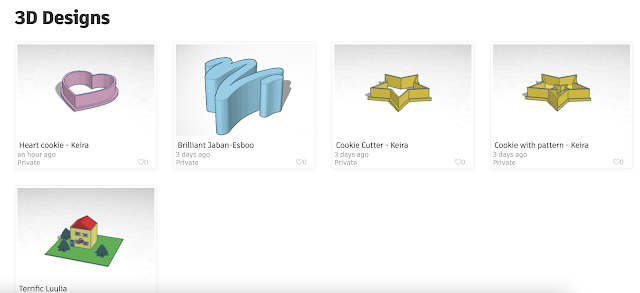
3D Printed Cookie Cutters

My Year 7 class this tech rotation are having a go with Tinkercad to design and make some cookie cutters that we can use to make some sugar cookies in the kitchen.

They are not my class at the college, they come from a local intermediate for their Technology lessons. Luckily on Tinkercad, you can make classes so it is easy for them them to get into the class and start work. 


It also makes it easy for me as the teacher to see the work they have been doing as I have access to it on the dashboard.


I had set the work up onto my class site so I could include examples, information and videos.

Link to class site


I have made some example cookie cutters for the students to see the process and we worked through the first one as a class.


We worked through the first, basic design together last Friday so I thought I would print out those ones for them before they come back this Friday to try the more complex ones. We will then make the cookies with them on Friday next week.


Monday, May 1, 2023

TOD - Planning for DVC NCEA Level 1 2024

 Today we were given time on Teacher only Day to plan for next year when the new NCEA Level 1 standards start.

Prior to the day, I had found some useful links and saved them onto Google Keep

Design and Visual Communication
https://ncea.education.govt.nz/technology/design-and-visual-communication?view=assessment

Materials and Processing Technologies
https://ncea.education.govt.nz/technology/materials-and-processing-technology?view=assessment

Electronics - Level 2 Unit Standards
https://www.nzqa.govt.nz/framework/explore/domain-full.do?frameworkId=278802

Understanding NCEA Changes
https://ncea.education.govt.nz/understanding-how-ncea-requirements-are-changing#:~:text=guidance%20as%20well.-,In%202024%3A,a%20new%2060%2Dcredit%20qualification

I has also prepared the standards into breakdown sheets similar to how I have them on my class site at the moment.
Year 11 2023 example - AS91067 - where it is on the class site
I always find making these sheets extremely useful as it makes sure that I am preparing work up to excellence level. As this is the case, I thought this would be a good thing to do with the new standards.
Here are the prepared documents.


Before I could start these, I looked at the 3 suggested course outlines that are on the website. I printed these off so that I could read them properly and decided to look in depth at two of them. 


My next steps are to choose one of the course outlines, make sure it is adapted and suited to me and my students and then fill in the standard breakdown sheets with the types of activities that we could do next year.
The course will consist of the two internal standards and one of the external standards for a total of 15 credits for the year. 
The students do 5 Level 1 courses over the year so this will give them a potential of 75 credits, where they will only need 60 to pass NCEA Level 1.

Monday, April 24, 2023

Planning Support - Help Videos

 I have written earlier in the year about being a mentor to 4 trainee teachers this year. Link to blog post here As part of that, I have been making some help videos to support them in the use of Google Sites and Hapara Workspaces. These are both requirements for teachers to use in their planning and presentation of work to students.

I have made two pages on the Planning Support website, where I have included links out to other sources of information and help and short help videos that I have made. I have kept the help videos short, so that a specific topic can be watched without looking through lots of other information and they can get that information quickly.


Link to Google Sites Help page


Sunday, April 2, 2023

Planning Support

 This year, I am mentoring 4 students teachers and helping them with their planning. I meet with each of them each week and thought it would be a good idea to centralise everything that we talk about over the year.

A Google Site seemed like the ideal way of doing this so I have started putting together a site that covers everything that we talk about either individually or all together. This will be useful for when they forget what we talked about (there is so much for them to complete from the uni!!! ), so they can just look back at the site for reminders, support, templated etc.

Here is the link to the whole site

This was started in March 2023 so it will grow over the year to include more of the content we cover.


Sunday, August 8, 2021

Self Tracking for Intermediate Tech Coding Planning

 My inquiry this year is looking at how I can get students to be self motivating in their project work. Part of that problem is knowing where they are within a project and knowing where they are within the assessment process.

For a while now, I have been making standard breakdown documents for my students. 

I am not sure if my students use these to be honest but they have been really useful for me to ensure that I am covering work that will give them access to all levels of achievement. I have recently discovered that you can do a checklist option on a doc which you can tick and it crosses out in a very satisfying "i have done that" kind of way. I think I will redo these sheets to include these to see if I can get my students to use them to track themselves. We already use a class shared spreadsheet for tracking. 

Recently, we had a department moderation session where we were looking at the planning and marking of junior and intermediate projects.  Mrs Anderson shared the sheet that she uses to track the evidence for computational thinking. (I wont share hers here as it has student work on it with names etc). 
A copy of this was made and feedback from the moderation process was put under the grid of descriptors as the moderation went along. This was very useful, having lots of eyes of fellow tech teachers on my planning and seeing where the gaps are. I then used this to highlight in yellow where I needed to add things.
I then cleaned this up to be a version that is useful to me to make sure that I cover everything that is needed on my site for that mBot project.

I put this onto my class site in the assessment area for this mBot coding project but realised that it is not particularly useful for the students as it uses the language straight from the progress outcomes.
It was when I was converting this document to the more student friendly version that I found the checklist option on docs. I will use this version with my two coding classes in the next tech rotation to see if it is any good and do any changes needed to make it better.


My hope is that we can all make a copy of this doc at the start of the rotation, share it with the teacher and use it to link up the evidence documents as they work through them from the class site. This will give them a very visual indication of where they are both in the project and the assessment.


Saturday, June 2, 2018

Project Planning to include Literacy

The last project that my Year 11 students have done for the last few years has been designing a mobile phone. Here is the link to last year's site with the planning for this project. When I was talking to my current Year 11 class about this, they were not too inspired by this idea. To be honest, I don't mind that they don't want to do this as the designs were getting a bit similar ( a bit like phones are all getting the same in the shops!!). So the new plan is wearable technology and they are much more interested in this idea.


As I am starting the planning for this project from scratch and not just adapting one that I already have, I like to scribble with pen and paper first, so I can scrub things out and use arrows a lot to link stuff together. It's the graphics teacher in me.
With my inquiry being solidly in subject specific literacy this year, I thought that right at the beginning of the planning process is a really good place to start building in literacy strategies.


The red sections show my thoughts on literacy during the design process. I showed this to Marc, our literacy specialist, and he wanted to talk to me about the first section where we are researching as the students need to do a lot of reading at this point.
One of the strategies that he wants me to research is "Double Entry Diary", so this is my next step in planning this new project as the research is fairly early in the design process.

Here is some information that I have found so far, so my next step is to adapt this so I can use with with my design class.