Showing posts with label teaching online. Show all posts

Thursday, October 27, 2022

Using Social Media - Student Voice and Feedback


 I have been trying Social Media as a method of engaging the students with the work for about a term now and need some student feedback as to how they think it is going. I decided not to send them a Google form as that takes too much nagging to get them to do it, so I have just been talking to them face to face and asking them questions in person.

The links to each of them are on the front of my class site - link here


Student Feedback

Student 1 - Y13

She has followed the TikTok account and is asking me if I have done any new ones. She watched the latest one about rendering. She is one of the students who helped me learn how to do the basics on TikTok so she was quite keen to see how I did with it.

Student 2 - Y13

Not very good at reading his emails so does not get the notifications about new videos being up. He hasn't really engaged with the content because of this. 

Student 3 - Y13

She has watched the videos on TikTok. (especially the cookies one ... they all love the cookie recipe !!). She seems to use a "just in time" method with her watching. When she needed to know something about 3D, she went specifically to that video to watch it and when she wanted to know about rendering, she went to that one. 

Student 4 - Y13

Her attendance has not been great so this is exactly the kind of student I was hoping to help with the trial, but she does not open her emails so knew nothing about it.

Student 5 - Y12 (not taught by me)

He watched the video the first time I sent them round but has not engaged with them since then. He is the type of student who does read his emails but he has not watched any more of the videos. He is unsure if this is to do with him not being taught by me but it is me that is sending the links through.

Student 6 - Y11

Watched the first ones and found one of them useful - the perspective one. Saw the emails for the latest ones but did not look at the videos they were busy and "forgot". They don't use either TikTok or Instagram so can not give an opinion as to whether they are useful on there. They watch on YouTube when they do watch.

Student - 7 - Y11

Has not seen any of them as he does not look at emails that are past the top. He has watched the one I sent last week. He thinks that adding spoken instructions would be more helpful. Watched it on TikTok last week.

Student 8 - Y11

Does not check his emails. If he did watch them, they would watch them on TikTok.

Student 9 - Y13

Does not read her emails.


Thoughts :-

  • The HUGE stumbling block with this plan is relying on the emails to notify the students that a new video has been uploaded. How do I get them to follow on one of the three social media that I have been putting the videos on?
  • Should I put posters up in the room with the social media logos and the handle of the account? This would only work if they are in the room but at least it isn't relying on them opening their emails!!
  • Links directly to the videos on the class site and the workspace as I at least know they are going there. (I tried this with the Y9 food class - class site example here)
  • QR codes posted up on the wall - made into stickers etc.

Monday, October 24, 2022

Using Workspaces

 The school has been using Hapara workspaces for a few years now. Our DP in charge of curriculum has been pushing for all staff to have the work for the students to complete on a workspace so there is a consistent approach. Also, when you make the workspace public, you can embed it onto your class website so the planning and set work can be seen publicly.

To be completely honest, I was not the fastest convert to working this way. I already had all my work on my class site where my students made copies of the docs and I kept track via a spreadsheet. I made the workspaces as I had been asked to, put them on my site with some work on them, but didn't really engage after that. Bit of a "box tick", compliance thing.

Since going in and out of lockdowns over the last two and a half years and the students not having a lot of consistency, I decided to give it a better try. 

I am a definite convert now. As I already had all the resources on my class site, it did not take a lot of time to set up the cards on the workspaces for all the activities. Yes, it is putting the same stuff in two different places but this has proved to be a positive thing as it gives the students the ability to start the work from where ever they are accessing it. Blog post here.

I got some students voice last year about how they liked to be presented with the work. A lot of the things that I do came out - like making examples and making step. by steps / how to's - blog post here, so I wanted to make sure the students still had access to these things if the only place they were going to for the work when not in the classroom was the workspace. I have been putting my examples and step by step documents and how to videos all on the workspaces so they are easy to find. There is also a link to where everything is on the class site so they can see it there too. 

Another thing that I wanted to try this year was to use workspaces as the evidence "dump" for the drawn work that the students produce as well as the written work. I have only just started trying this, but it is going ok so I will be continuing this next year. The Year 13 student who has been trying this out for me has been taking here own pictures of the work so it hasn't created extra work for me really. I wrote a blog post about this thinking earlier this year.

Here are links to some of my workspaces embedded on my class site.

Here are a couple of examples of one students design and concepts and concept developments that they put onto the workspace (I have made copies of them so their names do not appear as the owner)

This has definitely made it easier to have all of the work referenced in one place. This is really useful for marking and moderating. The original drawings will still need to be posted to Wellington for external marking. I actually agree with them seeing the originals to be honest as it is difficult to get a consistently clear image from scanning or photographing and you don't want to risk any details being lost.

I am a definite convert to this, but I still have to make my workspaces look pretty!!! - Blog post here


Thursday, February 24, 2022

Working with Sites, Workspaces and Calendars

 This video is a brief explanation of how I am working with a combination of Google Sites, Hapara Workspaces and Google Calendars with my students. It is using a lot of hybrid teaching styles so they are available both while we are face to face with a "synchronous" learning situation and when the students can't be face to face (either in person or online) in an "asynchronous" learning situation.

The example shown here is focussing on my Year 11s.

Here is the link to the class site 

Here is a link to where the workspace is embedded into the class site so it is viewable and there is a button there so the students can get straight onto their own Workspace dashboard.

Tuesday, September 28, 2021

Lockdown Drawing and Giving Feedback

 We are onto the drawing stage with my Y11 and Y12 classes now. Even though we are on lockdown, the show must go on. 

I have written a few blog posts about setting this up

The school has sent out sketch books, pencils and coloured pencils, So I know that the students have some basics that we can be. using to move on with.

Yesterday and today, I have had a few students through my Year 12 class, who are all working on slightly different projects so I have been drawing with them individually or in small groups, targeting their specific project ideas. 

I have been uploading my examples that I do with them online into a folder so that they have access to them and can get a better close up view rather than just seeing them on a Google Meet. Link to folder here.


When it comes to feedback, it proved to be difficult for me to see their work clearly enough when they held it up to the camera during a meet. To overcome this, the students have been photographing their work and sending it to me so I can give them more detailed feedback as I can see it clearly.

I then used my camera set up to record me drawing for them so I can give them ideas on how to improve their work. This is what I would do if we were in the class. I would sit next to them and draw on a different piece of paper and give them ideas for improvement.
I have shared this with them on a Google presentation with some notes. My initial idea was to share a Google Drawing with them so I could annotate their photograph (Google Drawing is always my first thought!!). This was not a good option, however, as you can not embed a video directly onto a drawing (please sort this out Google!). I decided to go with a Google Presentation for feedback and have decided that this is a better option anyway as I can embed videos, give annotated feedback and we are able to keep the same presentation for all drawing feedback as we do it.

Here are two examples of feedback given today. I have shared these with the individual students. 


Monday, September 20, 2021

Using Lego for Cross Sectional Visual Aids

Some of my Year 12 class are ready to continue with their design work. We are onto design development and they need to include details like cross sectional views. When we are on site, I get the students to make shapes in 3D with plasticine to cut in half, so they have a visual understanding of where the cut surfaces are so they can draw them on paper.

I have set up my drawing area for online teaching, Blog post here, but I needed to find a way of explaining cross sectional. views in 3D for them.


I made some blocks out of Lego. One was a solid cube, one was a solid cube made in two sections and one was a hollow cube in two sections. I made them all the same size so i could relate them back to the original one that is not cut in two.


Here is a brief section from the lesson today. It was great to hear the students drawing and then showing me their drawings on the camera so we could see that everything was being undserstood.

Sunday, September 19, 2021

Lego Algorithms

 My Year 7 coding class are learning what algorithms are. As we are on lockdown at the moment, I am thinking of things they can get stuck into at home.

As I am busy building Lego at the moment, following the instructions, I thought we could have a go at making our own Lego instructions for someone else to follow.

Here is where the work is set up on my class site.

They can choose what ever they like to build and break it down into what steps are needed to get it across clearly to someone else.

I have included a video for them so they can use remove.bg to get rid of the backgrounds in the photographs of their lego pieces.


Here is my example step by step to make yellow boy.


Setting Up for Teaching Drawing Online

 We have been on lockdown for getting on for 5 weeks now and my students need to get on with their drawing work. We have done loads of work that can be done online on Google docs etc but it is time for a few of them to move on. 

I had a chat with a couple of them last week about getting some drawing done in the next week and they are keen so it was time to get my set up sorted out.


On my desk I have arranged it so that I can draw live on a Google Meet with the students and also record my drawings for them to try in their own time.

I know being able to draw with the students next week will make me feel so much better.

Friday, September 17, 2021

Using Wordwall for Learning New Words

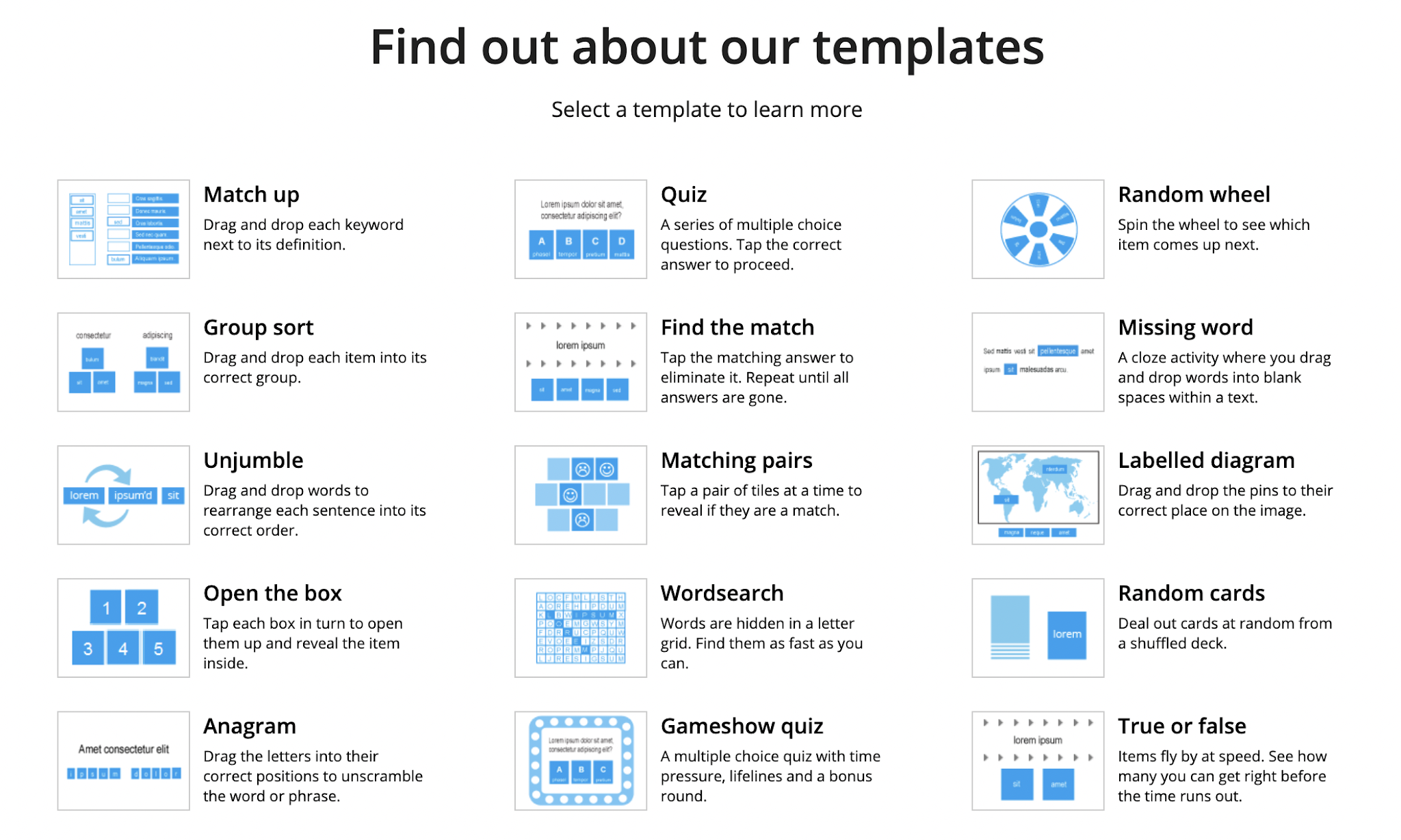
Today, Mr Cunard in our PE department played a game with use using the flip grip option on Wordwall. He then shared the link to the website. When I checked it out I found there was a load of options and templates to choose from.


I decided to try the Match Up template to have a go at a word game for my Y7 and Y8 coding classes.
It was easy to put the words and definitions.


You can send the link to students via their email, so they can play the game in a browser window or you can grab the embed code and put it onto your class website, which is what I've had a go at here.

I made a video to explain.

Wednesday, September 8, 2021

Prepping to Learn about Algorithms

 My two new intermediate coding classes have got to learn what an algorithm is. They have to know and show what this is both in a non digital and digital way.

Link to algorithms page on class site


I have started with them finding three things that they know about and breaking them down into input, algorithm, output. I have made an example for them to look at and made an explanation video for them to watch after the lesson to remind themselves what to do. I also found a good explanation video on YouTube.

The second activity on this page is to be done in their own time while we are in lockdown. They have to write instructions for someone else to follow. They then have to analyse how it went and write up any changes they would make to improve their instruction (debugging).

I have written these activities to line up with the tracking document linked to the Progress Outcomes. Blog post here about this tracking sheet These activities are linked directly to Progress Outcome 1.

At the top of the site page, I have included some extra reading for the students and extra activities for them to try.


Tuesday, September 7, 2021

Online / Distance Learning - Graphics with the Intermediates

 We are on lockdown at the moment, and our classes with our intermediate students are still going ahead.

My Year 8 graphics class are making a start on the clock design project. I have been working on elements in my class site for them so what is on there is more useful and supportive.

They have been coming online for our weekly lessons, so I have been making support material to help them continue when they are not with me or they need reminding about what I have just shown them. This hopefully will help the students who are unable to come online too but it will definitely help when we are all back at school as they will all be at different places in the project.


Over the last two weeks, we have been working on -

The links go to where the work is on the class site. There is instructions, templates, examples and explanation screencast videos.

Link to whole project - as of writing, the support materials have only been added to the above sections.

We are not connected as a class via the Hapara teacher dashboard, so we keep a class shared spreadsheet. This is also useful as I can put the links to everything there for them in one place so they can get to their work and support material quickly and easily.
This is the same spreadsheet from the start of todays' class to the end showing the difference in how much work they have done.


Here are a few blog posts from this work


Sunday, August 29, 2021

Lockdown teaching - using examples and videos

 As we are in the middle of a Level 4 lockdown again, I have been making sure there is more support on my class site for my students. I know I will see a few of them in class Google Meets but not all of them.

I have been making more examples and taking them through the work with more videos. I use Quick Time Player to. make my videos as I work on a Mac, but Screencastify does the job just as well.

Some examples of what I have been working on are here.

Intermediates - Clock project

Intermediates - At home coding challenges

Year 11 - Design Brief

Year 11 - Types of Seating

Year 11 - Materials

Year 12 - Design Brief

I have also been letting my students specifically know that these resources are there when I send the calendar invite out to the meet. The links take them straight to where the work is. Hopefully, this is making it easier for those students who are unable to come to the meets to keep plodding along with the work.


Monday, August 23, 2021

Online Activity - Coding Challenge a Day

 This is for my Y7 and Year 8 coding classes. I have set them up on my class site so they can work through a colour set in a week if they want, pick and choose from the sets or basically do any they want.

Link to class site

Here are the individual sets

Link to Red Google Drawing


Online Design Activity - Colour Theory

This is some preparation for my intermediate design students. We are going to look at colour. 


Link to presentation

Monday, March 1, 2021

Intermediate Technology - With No Contact

 We have gone onto a week long Level 3 lock down in Auckland this week. Last week was the first time we saw our Intermediate classes for technology this year and now we won't see them this week. When we were on lockdown last year, our Intermediate classes got all of their links to our class sites and work from a central hub site so it was easy for the Intermediate teachers to send to the students at home. 

For this week, we will not be seeing them on an online meet so our work needs to be easy to access and understand with no input from the technology teacher. Their class teacher will be giving the students the hub site link to access at home and out work needs to go straight from there.

I have decided to give them work that we would be doing anyway in the project, just not yet if things were normal. We are designing and making models of pop up books in Graphics and one of the things the students need to do is think about different themes for their book. This is an easy task to do online on a Google Drawing and the students all know how to use them. I have included a short help video, just to go over the task in a screen cast and to show them a quick tip to get images with transparent backgrounds.

Link to page on class site


Wednesday, July 1, 2020

What does teaching look like now?

We have been back at school, doing onsite teaching for number of weeks now, post lockdown. Things have changed for me as a teacher. There are definitely some things that I am glad to see the back of and some things that I will be keeping on.

Hapara workspaces were an absolute marvel during lockdown. I had my work sorted onto workspaces for the first time this year as I was sick of loosing track as to where the students were up to and was going to give workspaces a really good try this year to help me with this. Blog post here. I was slow at our school coming to the workspaces party as other staff have been comfortably using them for a number of years and I have been happily picking their brains about the best way to do things. During lockdown, this became a totally different reality. It was no longer testing to see if it made things easier, it was full on “we are using this now” mode.  It was so good to be able to share work so easily with the students this way, it was all set up for those students who like the big picture and I could see students accessing and starting the work even if they weren’t coming online to talk to me during the Google Meets.
I will absolutely be keeping up with using workspaces with any new work that I plan in the future. I also really enjoy making them look pretty!

As some of my students were unable to come online and do work during lockdown, I have been spending a lot of time making help videos for my inquiry group to support them with their project work. Blog post here. When I asked them a few weeks ago if these help sections were of any use and how I could make them more useful.
"I don't really watch the videos but the examples are useful"
"I watched the first video. It was ok."
"They were useful. No they weren't too long. Yes I could understand what you were saying".
Not sparkling feedback, but not bad either. I have received more informal feedback since then. The Year 12 students are asking where their help page is like the Year 13 one. The Year 13 inquiry group are telling me they are up to where the help stops, am I making any more. This makes me think that this has been more helpful than I originally thought so I will definitely be expanding on this idea and try to include support like this in each project. It will be a fair amount of work to prepare but once it is there it will be really worth it. I have been drawing on my experience while doing Manaiakalani Innovative Teacher in 2015, where I looked at designing MOOC style courses. One of my main takeouts from that was short and sharp sections that were on task and to the point. Link to this work here.

Having the table top boxes of drawing equipment has been a yes and no from me. We had to do this when we first came back to keep the social distancing rules in place. Blog post 1 Blog post 2. I have kept them since going back to semi "normal" and I am not sure they are staying. I twitch every time I see how messy and mixed up they are and this is really not something worth getting grumpy over so they will probably not stay much longer. The tables are back in groups though. I absolutely HATED the rows.

Not sweating the small stuff. Hey. We are still in the middle of a huge global happening that doesn't make for great viewing if you watch the news so I am definitely still in the "don't sweat the small stuff" mode and am trying to make the class a good place to be with minimum nagging and maximum support.

What do I want from lockdown to stay? The MUTE BUTTON!!!!


Monday, May 25, 2020

Drawing Demonstrations While Engaging in Social Distancing

In my previous blog post, I explained how I have set my classroom up so it can be used safely during Level 2.
This is OK till I want to show them "stuff". Online stuff is easy as I can airplay to the HUGE TV I have in my classroom.  When I want to show them any drawing skills. I can connect up my webcam drawing board to the laptop and still send it over to the big TV so the students can see what I'm drawing. My usual method is to get the students round one desk and I show them drawing skills up close. We can't do this at the moment so my webcam is getting a good work out.


The other good thing about this method is the fact that I used Quicktime to show it through my laptop so I hit record while I did the demo. Easy peasy rewindable learning videos.


Tuesday, May 19, 2020

Back on Site - Level 2 Syle

I was SOOOOO excited this week. We were due back on site at school to teach. The week started with with an awesome staff meeting in the auditorium, where the chairs had been set up with enough space between them. We looked like a huge group of people who have been sent to the naughty chair!. It was so good to see everyone in the flesh.
We have a rolling start for our students. Y12 and Y13 in on Monday. Y11 on Tuesday, Y9 and Y10 on Wednesday then the whole school from Thursday onwards. It has been so good to see the senior students so far this week.
We have had to set our classrooms up in "exam style". Basically all separate desks with spaces between to ensure the correct social distancing. I wrote a blog post about the seating plans and drawing equipment boxes for the tables. 

Here it is in real life in the class. I had to put the tables on a diagonal as they were too close otherwise and I think I am going to have to swing the computer tables round so they are facing each other. Other than that though, it was an ok plan.


All staff were given a sanitation pack too so the students sanitise their hands as they come into the class and the tables etc get cleaned with the spray between classes. I don't think my tables have been this clean or been cleaned so often in their lives. We are a messy lot in my room.


As a warm up activity for my students to do so we didn't have to launch straight into our project work, they were all given paper and they got to play with the new drawing packs on the tables and get used to not moving round to get stuff like they are used to in my room.


Instructions (given out in stages with time in between) - 
Draw a square, 4 circles, a triangle, a squiggly line coming off from one circle .. etc ...etc...

Some of the instructions were about how they were feeling - draw a face on the cloud to show how you are feeling  - colour the cloud to show how you were feeling this morning - put some weather coming from the cloud to show how you feel about tomorrow.
These were interesting as they showed me the mixed feelings they had about coming back and how they are not looking forward to another couple of days of online teaching again till the whole school is back on Thursday.

I possibly am going to have to sew my sleeves into my pockets to keep me from hugging students. It is very hard. 

Friday, May 15, 2020

Preparation for being back in the class

I am very happy to be back at school next week in my classroom. To prepare for that I have been trying to work out my seating plans. I have big double sized tables so I'm thinking one student per end of table as they will be a metre apart then. The only problem is, I can't really picture how many of these I can fit in lines down my classroom. I normally have them in groups. I have done a roughish plan and put students names on desks ready but it might all be up for shuffling when I get in there on Monday and start moving the tables round only to find they don't fit the plan, especially on that right hand side. Never mind, I have online junior classes in the morning and don't see my in class seniors till the afternoon, so plenty of time for shuffling if needed.


I have also sorted out table boxes of equipment so the students don't have to get up and wander round for the stuff they need. When we are drawing normally, I have boxes of equipment in place in the room and the students move to get what they want when they need it. They can't do that at the moment so I have put together packs for each table. If they sharpen their pencils into the boxes, we will be having words!! I will include a paper cup to sharpen into.

Thursday, May 7, 2020

Adding Extra Help for Students who can't get to Meets

I have been concerned about my senior students who can't get to online meets while we are on lockdown. I fully understand the various reasons for this (working being the main one), but I worry about how they will cope with being so far behind the students who have been coming to class when we get back to "normal".
My inquiry group are some of these students (my Y13 class) so I thought I would try something different.

I have added a page to the class site that is specifically for help with the individual aspects of the current project we are doing.
I have recorded myself talking about the different activities they have to complete and put up the example that I work through in the video for them to use as an example.

As of writing this blog post, I have only just started this so it is no where near complete. I have emailed the link to it to that class to get their feedback and to let them know it is there for them to refer to.

Link to page on class site.
Link to workspace - I have purposefully not put all of the activities on this workspace for this class yet as I have a couple of students who would try too much at once and they have enough to cope with. All of the activities are set up on the class site  and when we are ready, will be transferred to the workspace to aid tracking.