It is that time of the year when the Year 9 and Year 10 Technology rotations change and we get new groups. While it is good to see a range of students over the year so more of them get access to my course content, it is always tricky getting to know new classes when they are already established as a group and have got used to their timetable as it was.
My first lesson with my new Year 10 class was yesterday, so we did a getting to know you exercise using Google Drawings.
I had this up on the board, with examples of what they could say about themselves and an example that I had made about me.
I also used this as an excuse to fit in some top tips for searching for sizes on Google images and how to get transparent backgrounds in a search.
It has given me an interesting insight already as to how the students like to do their work. Some are neatly laid out, some use borders and colour, some use grids for the layout.
My Year 12 Design and Visual Communication class are getting into their product research when we get back in term 2. They are going to design lighting for a cafe based on the design era that they have been researching.
I wanted to use SOLO Taxonomy to structure the product research so the students have access to the depth of thinking that they need in a step bot step way.
I have downloaded all these Google Drawings as images to put on the blog so I have put links to the Google Drawings with the images here so you can click on them and make a copy of the drawing if you would like to. I also add instructions etc round the sides of the drawings which you cant see when you download it as an image.
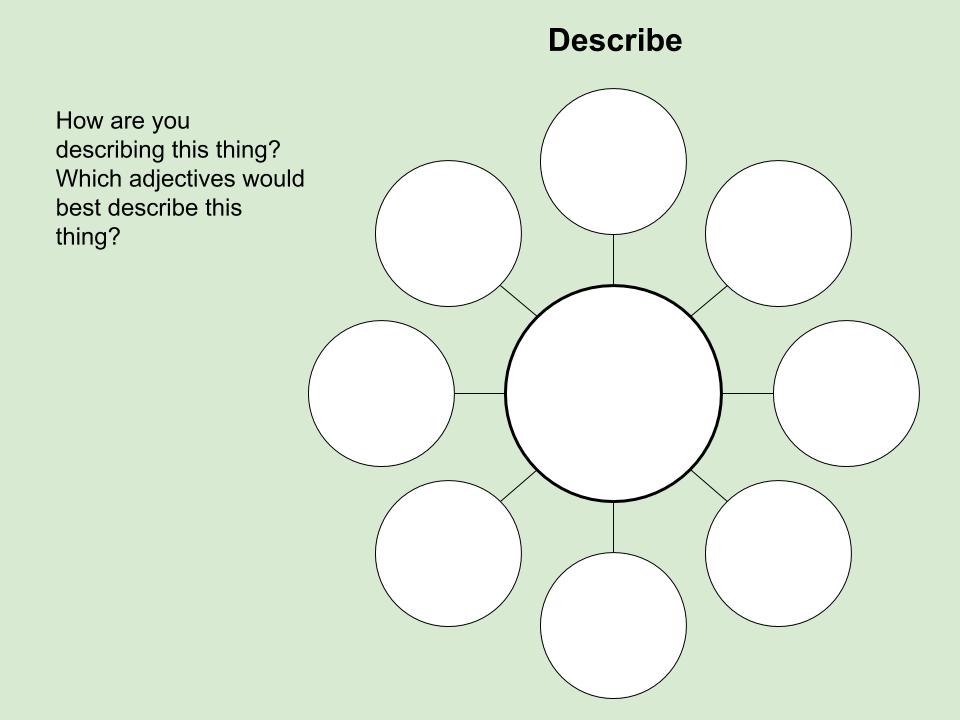
First of all, I want them to describe an example of a lighting design that they have found. Link here
Then I want them to dig deeper with their analysis of a found design, so they will do this document that gradually increases the complexity of the questions it asks.
They also have to look at materials, constructions methods and ergonomics.
I have got as far as planning the materials research section so far. Onto the other 2 sections next. (construction and ergonomics)
I presented today at the Ed Tech Summit Auckland.
My topic was about using Google Drawings to create higher order thinking tools around SOLO Taxonomy.
It was the biggest room full of people I have presented to!! (over the age of 18!!)
It was really interesting when we got to the hands on stuff, the range of things that people were using the tools to plan for. From Visual Art to coding with Scratch.
So...got a new presenters badge today.... I like badges!!
For the past 4 years, I have been using Google Plus Communities with my classes. We put our work on their so everyone can see it and give feedback.
I have also been using it increasingly for lesson instructions, links, examples ect, on a day to day basis. This started as a good place to put instructions when leaving relief work but it got used more and more for every day lessons.
The NCEA communities are here. Level 1 Level 2 Level 2
This year, the school as a whole has made a move towards using Google Calendars more with the students. I have been putting lesson instructions and links on to the calendars. These are embedded on the class site and onto the front of their portfolio sites.
I have tried both methods this term and then tried not doing any online method, just relying on me telling them what to do when they come in the room.
Today, I have asked their opinions about this and what they like / don't like.
Here are the questions that I asked them and their answers :-
"Hello. I have tried putting the lesson instructions onto a calendar this term. This calendar is on the front of your personal Google Site. I have also continued to put instructions and examples in the class communities. I want to know what you have used the most, liked the most, noticed. I have not used these methods for the whole term on purpose to see if you noticed when one was used and not the other."
It was helpful all the time, because with having the instructions on the calendar we could keep up to date with our work.
Because they were easy to understand even when Miss wasn't in class.
cause computer sometimes slow
it had precise instructions
I like the instructions because when its easily for me access my work faster
I just like it because it helps me
I just like it because it helps me
I liked it because it helps me understand what I need to work on and shows me what we are doing each day when we have graphics.
I like the instructions on the calendar cause when we straight away get in class we can login and check the calendar to see what today task are.
I like having the questions being put up on the calendar because easy access to view.
I like the instructions put into the calendar because easy access to it
I like it because it's easy to access things.
The calendar is great, because if we are lost we can just check the calendar.
I like it because it helps me understand more
Because they we easy to understand when she was absent
It was very helpful for me, when the teacher put up instructions on the community.
It also was easy to read when she wasn't here
its algood so were not always nagging what to do
Just the same opinion in using calendar but a lot easier to access (for me) because we receive an email every time there's a new post.
I like the words the community has did
I liked it because it helps me
I liked the community instructions because it show our progress and where we are at. It also gives us feedback from the teacher to know what needs to be done.
Cause it was confusing
Don't really go on the community site.
i like using community because it has visual instructions and teachers can give us examples through pictures
I like using the community for instructions because you don't have to sit and listen to your teacher talking for 10 minutes, telling you what you're suppose to do.
I like the community for instructions because I'm usually on the google community rather than the site, and also it's simple.
I like it because it helps me more
Because they also were easy to understand when she was absent
My main takeaways from this :-
The students seem to like the calendar and community equally.
The students appreciate the "rewindable" factor about both methods.
The students like the community as it is more visual (I like it for this reason too!)
They also like the community as they can look at each others work and support each other.
They like the easy access of the calendar.
Some of them liked the way the instructions seemed more precise on the calendar.
So.... I guess I am going to move into Term 2 using the calendar and the community.
The lesson information is from Lesson 4, session 1 of 3 - blog post here
I decided to spread this last "lesson" for the term across 3 sessions so the progress of the Year 11 group could be observed as they move towards their final poster design.
Here is what is new to this lesson during this session. I have mainly focussed on getting the students to talk about what they are doing in their project work.
Session 2 - 11th April
This is Dante talking about his Level 1 design work. He is in Year 11 and has not really been up to date with his work all term and has needed quite a bit of nagging.
This is Martha in Year 11and she is talking about her project. She is mainly working on the collection of the written information for her poster and she is not the world's biggest talker which comes through on this video.
This is Alex in Year 12. He has been working on his design era project. He is explaining what he has been doing to complete his work.
This is a few views of the ongoing lesson as students were getting on with their work. This shows views from both of my senior classes so there will be Year 11, 12 and 13 shown.
Lesson Plan Sessions - Added to previous plan on the 6th April
Year 11 students are continuing with their final design work. This involves them working on Photoshop, finishing the write up of information for the poster or producing work in whatever way is appropriate.
Support and demonstrations of skills and techniques where needed with whatever they are doing during the lesson.
Session 2
Student Activity
Teacher Activity
Year 12 students are coming to the end of their design era work and they are focusing on news events of the time and the effects that events had on design of the time. They are mainly working on google drawings to present their work.
I will be walking the room giving help and support where needed, especially on the cause and effect section of their work as this is the most complex area.
Reflection and Analysis
What went well?
They seem to be plodding along quite nicely and I am having plenty of time to support them on a one to one basis which is good for them and I can see where their understanding is.
There is a range of abilities and use of techniques going on, ranging from basic layouts on Google Drawings which are headed towards an achieved to use of Photoshop to layout a design based on the style of their architect. This work will be headed towards merit of higher which is good to see for some of them.
What did not go so well?
I am worried about them getting everything complete before the end of term. If they finish their actual poster, then I will be happy, as we can collate everything onto their portfolio site and write an evaluation in the new term at the same time as starting the next project.
I have not had this completion problem with a whole Year 11 group on this project before and I am wondering if the mix of Level 1, 2 and 3 is affecting them in a bad way.
Time for some anonymous student voice surveys I think! What can I do better?
Ensure that everyone is confident about what they need to do next. Maybe more use of the class community where it is just them together without the rest of the class (the Year 12 and 13's) could help facilitate this.
All these folders are a work in progress, but I am finding making these documents, especially the ones related directly to teaching Technology, a very useful thing to do. It is making me structure activities in gradually increasing levels of complexity and so can be used for a range of ability levels across year groups and across different projects.
The way I have set up my class site is so that students can move ahead onto tasks when they are ready and not have to wait for the teacher.
I have found a problem with this during this last week.
I have one student doing NCEA Level 2 DVC who is one of those students who likes to be ahead, tells me he has done it and immediately wants my opinion.
Normally in the form of an email like this last one.... (or he shouts it at me across the quad!!)
This should be great!
But it isn't great and I've realised that I don't have enough support on my site for this situation even though I thought that I had.
We have been working on this activity in small teams of 2, after going over it together as a class.
The students have to find news articles that were happening during their chosen design era. This will then lead them onto working through 2 more activities where they analyse how the social events of the time affected the design work of the time.
Here is what the student I am talking about sent to me this week :-
The fact collection went well. We did this activity in the class and he had my support during the whole thing.
Then he went ahead onto the site and did the next activity in his own time.
This one should be looking at the effects of the news event on society and so on the design work of the time.
What he has focussed on is facts about the sinking of the Titanic.
This is still at surface level fact collection ( multistructural) and has not moved onto relational at all.
Where I am delighted that this student is doing lots of work in his own time, I don't want him to be wasting that time just because I have not explained and supported the activities in enough detail.
The key points at fault and what I need to work on :-
Not enough instructions / explanation with the task to know what to do, so I need to include more explanation boxes on the side like I have started doing with the first activity.
No examples to show what it could look like (using a different example of a design era that none of the students are using).
The students found working together on activities in the last standard really helpful so should I encourage them to post straight into the class community when they start an activity in their own time. Then they can get support form me and other members of the class as they work on their own. After my last reading about SOLO and Forum style working, this is definite possibility.
Would short screen casts help with me explaining and doing an example as I talk about what i am doing and why. Thing Link is also a possibility for this as I could highlight different parts of the activity with written explanations, examples and videos.
Although I am not looking forward to telling him that we have to work on this some more, I am pleased that it has come up, as the outcome will benefit all of my students.
This was a really interesting read as I have used Google Plus Communities with my senior classes for a few years now to share work and give feedback to each other. They quite often use it and post there outside of class time.
Although this is aimed at much older students in a different type of online community, I think that I can take some key learnings from it.
asynchronous discussions provide for student reflection time, rather than encouraging spontaneous responses - this was interesting. So instead of wanting answers straight away, this gives the students thinking time without pressure.
Slack, Beer, Armitt & Green (2003) found that while online discussion can facilitate deep learning, that it does not happen spontaneously, and may require careful instructor mediation and support in order to develop - this is easy to do within a Google plus Community as you can have access to it at any time. This gives the teacher access to what is posted in there all the time to respond to what the students are posting. Careful questioning can happen during these interventions, not just commenting on what they post.
In a similar study, Barret & Lally (1999) applied content analysis to discussion transcripts in order to distinguish between social, interactive, surface and deep cognitive skills and metacognitive knowledge and skills. They found some differences in the way that men and women interact in the online learning environment, but overall the participants appreciated the interactive nature of the online component of the course as it made them feel part of a community of learners - I have found this with my classes over the time that I have used Google Plus Communities. There has been very little "social" posting. They have taken the forum very seriously and used it for "work". The students have also shown their appreciation of being part of a learning community and the feeling that we are all in this together.
Firstly, it is evident that forstudents to actively engage in a discussion, that the given task or topic should be sufficiently open-ended so as to encourage the expression of multiple viewpoints and opinions - this is a point that I really need to take on board if I want my students to engage in a lot more relational and extended abstract analysis of their design work. I need t post open ended practice scenarios in the community for them to work out together. They can then use these skills to analyse each other's work.
Secondly, when the SOLO taxonomy was used to analyse the quality of student responses, it was found that more than 50% of the postings were assessed to be at the multi-structural, relational or extended abstract SOLO level, indicating that high level task oriented discussions are viable using an online learning platform - this is where I am aiming. Much more high end discussion amongst them selves. I am hoping that with the group work that I have been introducing into their NCEA project work, that this online discussion will be more comfortable and natural.
Direct Instruction
This page will highlight on a set of 3 lessons that will focus on my Year 11 group as they complete their first standard for NCEA Level 1 DVC.
As the Year 11 students come into the room, they will be all gathered around the front table as a year group to discuss their particular tasks.
We will discuss as a group what we have to have completed by the end of next week (the end of term) and what they have to do in order for that to happen.
The students will then work independently, at their own pace, receiving support and instruction form me as they need it.
This video is the teacher instruction section at the start of the lesson on the 6th April. This was the introduction to a set of lessons over a few days.
Session 1 - 6th April
The really good thing about how we work in the class is that it gives me lots of time to give some quality one to one or small group work.
This video shows me working with Autymn who is ahead in the Year 11 group and needs to move on in Photoshop.
We had a good amount of time working together to remind her of some skills we had already covered so could go over again at some speed.
Autymn was kind enough to record her whole workflow today on Photoshop.
I have speeded up the recording so you can view it in approximately 6 minutes.
This short section is a view into the ongoing lesson as it happened This shows the rest of the class getting on with what they were set to do while I was working with individuals during the lesson.
Detailed Lesson Plan
Lesson Topic :- Production of final poster to promote their chosen architect
Level 1 - Architect Poster - AS91069
Year Group :- Year 11
Learning Outcome
Year 11
To take all of the work, skills and knowledge to date and put it into practice to complete their final poster design.
Produces a simple layout that does not have many parts to it and does not have clear use of design elements.
The main features of the architects work have been selected and are shown in the poster.
More than one piece of work by the architect is shown.
Produces a clear layout for their poster design. Shows use of the design elements that have influence from the architect’s work.
Use of the Adobe software shows purposeful selection of which techniques to use to create the impact needed.
Produces an effective layout for their poster design that uses the design elements highlighted from the architect's work to show understanding of those elements.
There is accuracy shown to achieve a visual impact in the layout
Uses the Adobe software in a way that enhances their layout idea.
Achievement Objective: Outcome development and evaluation
Critically analyse their own and others’ outcomes to inform the development of ideas for feasible outcomes. Undertake ongoing experimentation and functional modelling, taking account of stakeholder feedback and trialling in the physical and social environments. Use the information gained to select, justify, and develop a final outcome. Evaluate this outcome’s fitness for purpose against the brief and justify the evaluation, using feedback from stakeholders.
They have collected information and images about their chosen architect.
They have produced thumbnail sketches of possible layouts.
They have developed their possible layouts into more feasible layouts using Google Drawings.
They have looked at the design elements in respect to their architects work.
They have tried out a variety of skills on Adobe Photoshop and Illustrator.
They have produced a drawn layout plan in their sketchbooks.
Lesson Sequence
Thursday 6th April
Session 1
Student Activity
Teacher Activity
Sit all together round the front table.
Listen to main points of the next week and a half being lated out and what they have to do in order to complete their poster.
Sitting with the class at the front of the class leading the discussion about what they have to do to complete their poster work before the end of term.
Explanation and showing examples of what they are expected to do this period and in the next week and a half.
Session 2
Student Activity
Teacher Activity
Production of drawn “grids” that will be scanned in and used as layout guides in Photoshop.
Moving onto Photoshop when ready to start laying out their final poster design.
One to one advice on grid production and where they can get the inspiration for their grids.
Help on Photoshop as needed.
Scan and share their drawn grids as they finish them.
Print any resources they require as needed.
Session 3
Student Activity
Teacher Activity
Students must continue to focus on their poster work as the teacher has to work with and support the other two year levels in the class.
Continuing support of Year 11, 12 and 13 students in the class as the double lesson progresses.
The students need to continue from where they get to today in the next lesson (tomorrow)
Reflection and Analysis
What went well?
Thursday 6th April
All the students made a good start today on their final layout and most of them have a drawn grid completed.
Most of the group have their grids scanned in ready to download them tomorrow and get on to Photoshop.
One of the students got onto Photoshop today.
They were able to use their knowledge of their architect well when designing their layout grids.
My student who is expert at looking busy but not doing much worked really well today. Even the rest of the group noticed and were quizzing him about it. He said he has “changed”... we have just had student conferences with tutor teachers and parents so maybe this is the cause. It was good. I’ll take it.
The students did not run out of things to be focussed on in the double period (100 minutes) and were able to get on when the teacher was busy with the other year groups.
What did not go so well?
Thursday 6th April
Two of the girls do tend to just sit there and wait for me to go and nag them, but once i indicated what direction they should be going, they got on with it quite well. A couple of students did not have time to get their grids scanned today, but I can do that for them before the next lesson starts so they are ready to go.
Learning Site Content
This is how the information is structured so the students have access to it.
Here are the links that the Year 11 students have been given or are working on and the resources that they need for the lesson :-
Today, I was asked to present at the Manaiakalani Open Day. The visitors had a full day of presentations, chat and visits to the classrooms in our cluster of schools.
I was asked to present about the workflow in my class room.