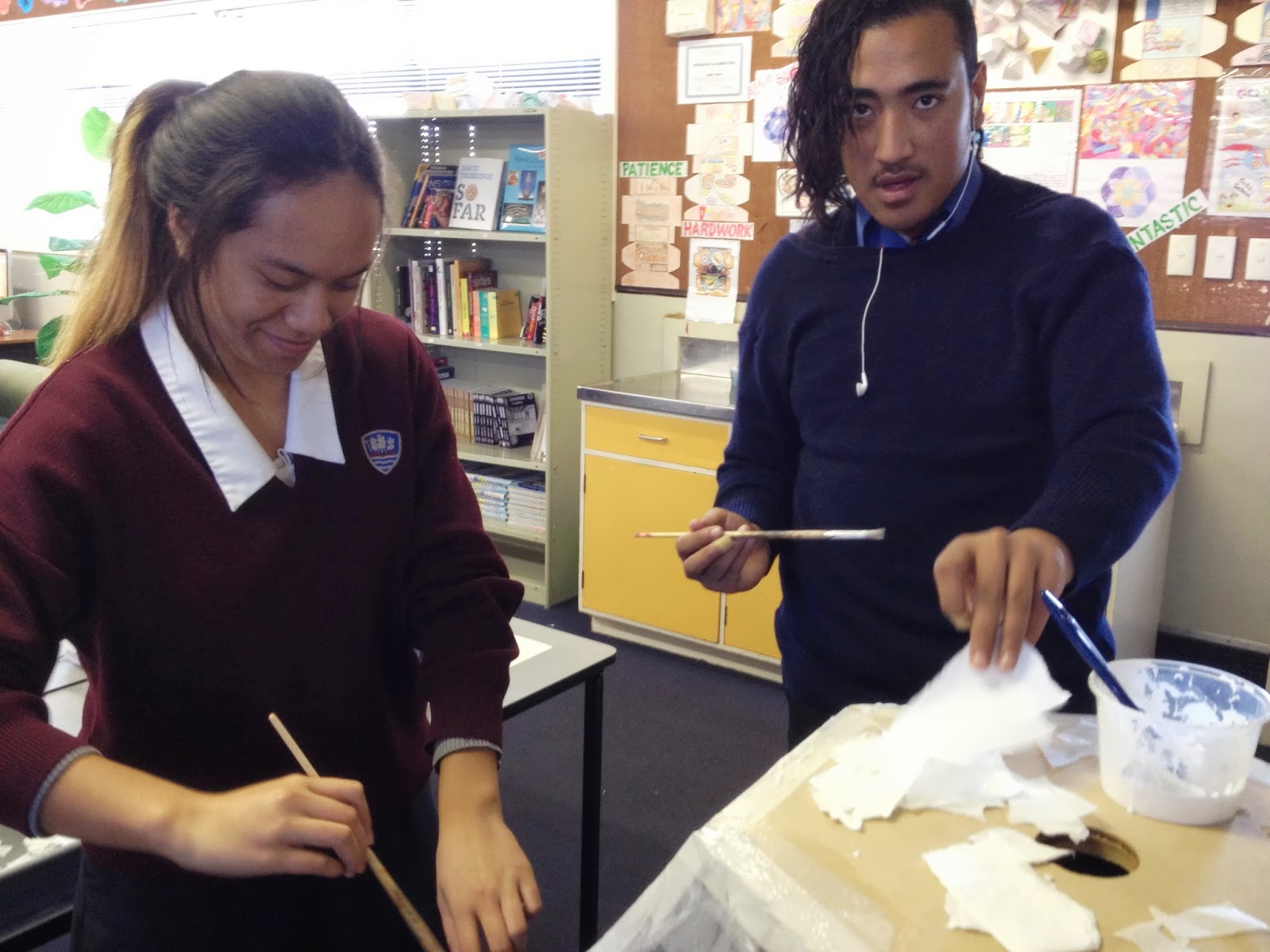
We had a session this afternoon after school for those teachers who want another option to making posters using paper, scissors and glue.
It doesn't matter what subject you do or the age of the students, we all make posters to present work, give information or explain things at some point.
To make this an online activity, we mainly looked at Glogster today.
This is a free online poster making tool, but it is more than that. You can embed videos that play on the poster and add moving GIFs to them too.
This makes it very adaptable to individual needs and the staff who came to today's session went away very excited about the possibilities of what they can do with it in their subject areas. We discussed doing screen shots of the students work on Google docs, spreadsheets, graphs etc, and uploading these to Glogster as a different way for the students to present final pieces of work. We also talked about making videos specifically to put onto a Glogster poster. For those students who still love drawing by hand, they can still do that, scan their work in and include it onto a Glogster as a mixed media presentation.
Everyone set up their free Glogster account today and had a play with the basics.
We then went over how to embed a Glogster onto a Google site. This is easy to do, as you just have to grab the embed html code. You just have to make sure you put it onto the html part of the edit page on a Google site. This is good to know as all out staff and most of the students all have their own Google sites. I look forward to seeing what the staff who came to the session today come up with themselves and get the students to do.
Highlighted Collections...
Thursday, August 15, 2013
Thursday, August 8, 2013
We're all Really Blended...
We had another after school PD session today for an hour. This week's topic was blended learning.
I set up a simple scanner with one of the Asus netbooks, so staff could have a go at scanning work, book pages and worksheets straight into a netbook. I showed them how Google docs rips out the typed words from a worksheet, and lays it out for you. This works for a scan of something or a photograph of a page.
I made a "How To" on this topic here.
At the moment, Google docs is poor at doing this if there is columns in the page you are converting, as it mixes it all together, but we are hoping for improvements from Google here.
I showed the staff how easy it is to install "Simple Scan" onto the netbooks, so they can pass this onto students. It will be good when students can just take their netbooks to a scanner, connect it on and then easily scan the work that they have produced on paper, ready to upload onto their Google drive.
Next, I showed them how I use Flickr in DVC to upload the student work. I have links to this Flickr site on the DVC site so it is easy for the students to find it so they can then find the photographs of their own work, download them and use them on their own sites or documents.
Link to the DVC Flickr here.
I use Flickr for this rather than Picassa as I use my Picassa for images that I want to use on my DVC Google site and I don't want to fill it up with the student work photos. I take a lot of photos as the students are working, especially when they are producing 3D work.
Making the students responsible for finding and downloading their own work saves trying to remember who's work belongs to who and emailing it to them.
We discussed having some kind of camera available in the class when you know when the students are going to be doing something you will need evidence of. I personally have an iPhone, so I always have a semi decent camera in my pocket.
We all work in classrooms where we do a combination of work directly online and on paper in books or 3D. It is good to have a variety of methods where you can get the work online so it can be all together, be able to be embedded onto student Google sites and documents, and appearing on the teacher dashboard to be checked and marked. This saves staff looking in lots of places to find work. It is all in one place.
I set up a simple scanner with one of the Asus netbooks, so staff could have a go at scanning work, book pages and worksheets straight into a netbook. I showed them how Google docs rips out the typed words from a worksheet, and lays it out for you. This works for a scan of something or a photograph of a page.
I made a "How To" on this topic here.
At the moment, Google docs is poor at doing this if there is columns in the page you are converting, as it mixes it all together, but we are hoping for improvements from Google here.
I showed the staff how easy it is to install "Simple Scan" onto the netbooks, so they can pass this onto students. It will be good when students can just take their netbooks to a scanner, connect it on and then easily scan the work that they have produced on paper, ready to upload onto their Google drive.
Next, I showed them how I use Flickr in DVC to upload the student work. I have links to this Flickr site on the DVC site so it is easy for the students to find it so they can then find the photographs of their own work, download them and use them on their own sites or documents.
Link to the DVC Flickr here.
I use Flickr for this rather than Picassa as I use my Picassa for images that I want to use on my DVC Google site and I don't want to fill it up with the student work photos. I take a lot of photos as the students are working, especially when they are producing 3D work.
Making the students responsible for finding and downloading their own work saves trying to remember who's work belongs to who and emailing it to them.
We discussed having some kind of camera available in the class when you know when the students are going to be doing something you will need evidence of. I personally have an iPhone, so I always have a semi decent camera in my pocket.
We all work in classrooms where we do a combination of work directly online and on paper in books or 3D. It is good to have a variety of methods where you can get the work online so it can be all together, be able to be embedded onto student Google sites and documents, and appearing on the teacher dashboard to be checked and marked. This saves staff looking in lots of places to find work. It is all in one place.
Thursday, August 1, 2013
After School PD Sessions are all Go Again...
We had a good time after school today, during our regular after school Thursday "help" sessions.
This week, we covered the basics of using iMovie for creating movies. We have already covered using YouTube, so now staff are equipping themselves with the ability to create their own content to load up to YouTube and embed on their sites, rather than relying on other peoples' video content.
We started the session by using the Flip video cameras to record a little bit of content around the room and the corridor. Luckily, there was a Media Studies after school session running in the same room, so the students were more than willing to be filmed by staff.
We then went over getting the video footage from the camera up to iMovie, starting a new project, what the areas on the iMovie work area are, choosing clips, transitions, titles and music and sound effects. By the end of the hour, everyone had put some clips together and used a variety of the things we had covered. They then saved out their movies as mp4s ready for uploading. Not bad for just under an hour.
The students in the room, who were all knowledgable Media Studies students, were amused by staff being taught these basic skills. Cheeky things.
This week, we covered the basics of using iMovie for creating movies. We have already covered using YouTube, so now staff are equipping themselves with the ability to create their own content to load up to YouTube and embed on their sites, rather than relying on other peoples' video content.
We started the session by using the Flip video cameras to record a little bit of content around the room and the corridor. Luckily, there was a Media Studies after school session running in the same room, so the students were more than willing to be filmed by staff.
We then went over getting the video footage from the camera up to iMovie, starting a new project, what the areas on the iMovie work area are, choosing clips, transitions, titles and music and sound effects. By the end of the hour, everyone had put some clips together and used a variety of the things we had covered. They then saved out their movies as mp4s ready for uploading. Not bad for just under an hour.
The students in the room, who were all knowledgable Media Studies students, were amused by staff being taught these basic skills. Cheeky things.
Saturday, July 27, 2013
Holiday PD.....
I have been on some great subject PD over the holidays. It was a 2 day PD for DVC
( Design and Visual Communication ), and we covered rendering on the first day and technical drawings on the second day.
I got a lot out of the rendering day, as I have never used the proper marker pens to produce work before, so I have been busy putting the new rendering skills I picked up this week into practice on the Level 1 project that they are just onto. The project they are on with is designing a mobile phone, and we have previously used coloured pencils to render the final designs to look like plastic and glass. This was then photographed and put into Photoshop to create a presentation sheet.
Paul, who ran the course, was also using a great bit of kit. An over head camera on a drawing board, connected to the projector. This projected everything he was drawing onto the board.
Do I want one of those???... oh yes...
( Design and Visual Communication ), and we covered rendering on the first day and technical drawings on the second day.
I got a lot out of the rendering day, as I have never used the proper marker pens to produce work before, so I have been busy putting the new rendering skills I picked up this week into practice on the Level 1 project that they are just onto. The project they are on with is designing a mobile phone, and we have previously used coloured pencils to render the final designs to look like plastic and glass. This was then photographed and put into Photoshop to create a presentation sheet.
This year, I want my level 1 students to use the skills that I have just learned. The person in charge of the course this week says that using these skills well will get the students up into the merit / excellence range, which is really good news.
So how do I intent to use Google for this?
I have produced a sample for the students to see, and photographed each stage. These photographs have been put into a Google presentation and put onto the Graphics Google site for the students to access. I have always demonstrated how to produce drawings in front of the class so they see the process from the start. It is good to be able to put the steps online for the students to use out of the class room for practice.
It would be good, once the students get to grips with this technique, is if they made their own "how to" presentations for next year's students.
Paul, who ran the course, was also using a great bit of kit. An over head camera on a drawing board, connected to the projector. This projected everything he was drawing onto the board.
Do I want one of those???... oh yes...
Thursday, July 4, 2013
Learning Lots on our YouTube Session
It is the weekly help session again and this time we covered a few You Tube tips
For people who don't have a YouTube channel yet, it was easier to start from Gmail, as everyone can find that, click on more then YouTube is the third choice down.
When you then click on your log in on the top right, a selection drops down where you choose Video Manager. This is where you would view all your uploads of you have any but on a new account it prompts you to make a channel.
At the top of the screen is a nice big, friendly "upload" button, so we all had a go at uploading a small video onto the newly created channel.
For people who don't have a YouTube channel yet, it was easier to start from Gmail, as everyone can find that, click on more then YouTube is the third choice down.
When you then click on your log in on the top right, a selection drops down where you choose Video Manager. This is where you would view all your uploads of you have any but on a new account it prompts you to make a channel.
At the top of the screen is a nice big, friendly "upload" button, so we all had a go at uploading a small video onto the newly created channel.
Then we moved on over to having a quick look at the YouTube video editor.
It lists all your uploaded videos which you can then edit together with the simple to use tools that it gives you. It also lets you have access to some creative commons videos, which are good for having a practice.
This is a good place to start for people with no editing experience as it is pretty user friendly and doesn't include too many bells and whistles to confuse the beginner. You can include music, titles and add some simple transitions.
What really got people interested this week was when we looked at playlists.
You can add your own videos to playlists or any that you find on YouTube made by others.
You can access your playlists from the video manager, down the side, underneath the uploads option.
It shows all your playlists and how many videos you have in them.
When you find a good video while browsing, and wish to add it to a playlist, it is very easy to do.
Underneath the name of the video, there is an "add to" selection. When you click on this, it lists all of your playlists or gives you the option to make a new one.
Embedding a playlist.
When we were experimenting with embedding a YouTube playlist, we discovered that the HTML that you get from the playlist will not work on a Google site, either giving you a "this video does not exist" message or only playing one video from the playlist, depending on where, of the two choices, you got the code from.
This same HMTL code worked perfectly on a blog. A player is embedded which plays one of the videos with a skip button so you can skip to another in the playlist. you can see the skip button on this screen shot of a test blog.
We have no idea why it would work on the blog but not the site and this was quite frustrating, but people went away happy with playlists on the whole, as they are useful tools to collect like videos together and play them all without having to play lots individually.
Thursday, June 27, 2013
The Moving Help Sessions.....
So the Wednesday afternoon help session has become the Thursday afternoon help session to cater for people's meeting commitments.
Today we did work about Google sites. I covered some basics to start with, which were the questions that I am always getting asked by staff.
This was good for some of the staff who came, as these are the things that you don't do every day so you forget and need refreshers. It was also no hardship for those who came that didn't really need this.
What got people going during this session was the work we did on "blinging" your site.
This was for people who are sick of the Google theme choices and want to make their own but who don't have any Photoshop skills.
We used online resources that can be used and accessed anywhere and on any machine.
Picmonkey
Colourlovers
Cooltext
We went over taking a screenshot of a chosen background from Colourlovers.com then putting it into PicMonkey and resizing it so that it would fit on their site. We then played with all the bits you can add to an image in PicMonkey, like shapes, lettering creatures and critters etc. This took a while as the choices are pretty wide and you can spend / waste a lot of time on these 2 sites.
I hit a frustration corner when I was trying to show the group how to change the width of the site so that it fits with the size of the graphic they have made. We discussed 900px being a good site size for a netbook, which is why we made the header that size.
Google, in their drive to change things and confuse us, have changed how you alter the width of the site and I guided the group to the wrong settings area for a while as we hunted for the correct setting.
We found it across the top of the "edit site layout" option of "more".
Today we did work about Google sites. I covered some basics to start with, which were the questions that I am always getting asked by staff.
- How to make the navigation on the top and not down the side.
- How to add pages to the horizontal navigation bar.
- How to make pages drop downs from the horizontal navigation bar.
This was good for some of the staff who came, as these are the things that you don't do every day so you forget and need refreshers. It was also no hardship for those who came that didn't really need this.
What got people going during this session was the work we did on "blinging" your site.
This was for people who are sick of the Google theme choices and want to make their own but who don't have any Photoshop skills.
We used online resources that can be used and accessed anywhere and on any machine.
Picmonkey
Colourlovers
Cooltext
We went over taking a screenshot of a chosen background from Colourlovers.com then putting it into PicMonkey and resizing it so that it would fit on their site. We then played with all the bits you can add to an image in PicMonkey, like shapes, lettering creatures and critters etc. This took a while as the choices are pretty wide and you can spend / waste a lot of time on these 2 sites.
I hit a frustration corner when I was trying to show the group how to change the width of the site so that it fits with the size of the graphic they have made. We discussed 900px being a good site size for a netbook, which is why we made the header that size.
Google, in their drive to change things and confuse us, have changed how you alter the width of the site and I guided the group to the wrong settings area for a while as we hunted for the correct setting.
We found it across the top of the "edit site layout" option of "more".
Thanks Google!!.....not
We then had a quick look at using 3 columns instead of just one on the layout option so that it is easier to layout buttons that you can make on Cooltext.com to link the site to other pages on the site or external web pages.
Not bad for an hour and the chocolate biscuits always help...
Monday, June 24, 2013
Using Google Apps to collaborate on Film Planning
I am a Year 9 tutor this year and I asked my tutor class if they wanted to make a movie for the Manaiakalani Film Festival. Some of them were keen to as they have been part of it for the last 5 years while they were at intermediate and primary schools.
Who wants to do what...
The first job was to find out who wanted to do what job. I did this via a Google form with a list of jobs they could sign up for.
You will have to scroll through this one....
The results came in from this so I could see how many of the group were keen.
It seems like a small number at the moment but I think once we get started, the others will want to jump onboard.
The Theme
We did the next job last Friday, which was talk in tutor time about possibilities for a theme for the film. We started putting those up on a Google drawing, which was shared with them all so they could continue to put their ideas on over the weekend. Some "interesting" suggestions came in which we had a laugh about this morning.
Voting for the Theme
These suggestions have been put into another Google form and sent to the group so they can vote on their top 3 choices.
This has been emailed to them tonight so that there is time for the results to come in and be ready for the script team who are having their frist meeting on Wednesday after school.
The plan for the the script meeting is to do the planning on a Google drawing then to move to a shared Google doc for the team to input into.
It is interesting producing a project this way as I dont actually teach my tutor class and I only see them in the morning and afternoon tutor periods.
26th June
We had the first meeting of the script crew. These are the students who put their name down on the form to choose what they wanted to do.
The winner is...
We kept checking every day on the voting results coming in and Google forms presents it really nicely as a graph for you so you can see straight away what the results are.
Here is a screen shot of the results :-
Ideas......
They had the three main ideas to go with so they started a Google drawing to put down any silly idea they could come up with so we could talk about them. We sat around one computer talking with one student doing the typing of everyone's ideas. This drawing has been shared with the script crew so they can add to it in their own time.
The favourite at the moment is a film trailer for Plants vs Zombies the Movie.... we shall see...
The next meeting is Friday so we can start a story board to work on over the weekend.

3rd July
The planning team met to do the scene breakdown plan.
We did this on a Google doc that os shared with the team and we broke it down into the action, who would be in it, what we would need and where we would film it.
This breakdown will help the props team who need to start work next as we now know what we need.
Who wants to do what...
The first job was to find out who wanted to do what job. I did this via a Google form with a list of jobs they could sign up for.
You will have to scroll through this one....
The results came in from this so I could see how many of the group were keen.
It seems like a small number at the moment but I think once we get started, the others will want to jump onboard.
The Theme
We did the next job last Friday, which was talk in tutor time about possibilities for a theme for the film. We started putting those up on a Google drawing, which was shared with them all so they could continue to put their ideas on over the weekend. Some "interesting" suggestions came in which we had a laugh about this morning.
Voting for the Theme
These suggestions have been put into another Google form and sent to the group so they can vote on their top 3 choices.
This has been emailed to them tonight so that there is time for the results to come in and be ready for the script team who are having their frist meeting on Wednesday after school.
The plan for the the script meeting is to do the planning on a Google drawing then to move to a shared Google doc for the team to input into.
It is interesting producing a project this way as I dont actually teach my tutor class and I only see them in the morning and afternoon tutor periods.
26th June
We had the first meeting of the script crew. These are the students who put their name down on the form to choose what they wanted to do.
The winner is...
We kept checking every day on the voting results coming in and Google forms presents it really nicely as a graph for you so you can see straight away what the results are.
Here is a screen shot of the results :-
So Vampires, Zombies and a last minute vote for fruit and veg it is...!!!!
Ideas......
They had the three main ideas to go with so they started a Google drawing to put down any silly idea they could come up with so we could talk about them. We sat around one computer talking with one student doing the typing of everyone's ideas. This drawing has been shared with the script crew so they can add to it in their own time.
The favourite at the moment is a film trailer for Plants vs Zombies the Movie.... we shall see...
The next meeting is Friday so we can start a story board to work on over the weekend.
3rd July
The planning team met to do the scene breakdown plan.
We did this on a Google doc that os shared with the team and we broke it down into the action, who would be in it, what we would need and where we would film it.
This breakdown will help the props team who need to start work next as we now know what we need.
What do the students think about the room changes?
My classroom has been changed around for a couple of weeks now and I have been chatting to my students about what they think about it.
The back tall table...
The boys gave me comments like :-
"love it"
"it's easier to work at"
"it is more comfortable to draw at"
"I feel like the man sitting up here"... ( please feel free to ignore that one !! )
This table has been a popular option for the boys when they are coming into the room, to the point of having a few "words" with each other as to who sits there.
The comfortable sitting area at the front ...
The students have said :-
"We like that we can work on our netbooks in comfort"
"We feel like we are in prison at the normal tables"
"it's kick back" ... ( but I hasten to add that they work in this area and I have only had one "kick back" example to deal with in two weeks ).
I have not told the students where to sit when they come in. They have moved to the normal tables naturally if they have drawings to finish and have gravitated over to the the couch area when they have netbook work. It has been interesting to watch them decide for themselves without being nagged.
Spoilers....
It is that time of year again when I have to start thinking about the Manaiakalani Film Festival. Actually, we are starting a little earlier than usual this year and I am so pleased we are. In previous years, my team and I have made a variety of movies for the festival but the thread running through them all has been music and dancing. This is the first year that we have actors and a script.
We have had our script meeting, which was a very funny session with everyone throwing their ideas in, however silly they were. These were sifted and we settled on a story line and came up with the script, which done on a shared Google doc, so it has gone through a bit of "adjusting" since then. This is the first time I have used a script so this is very exciting and I am wondering how much we can keep to it when we start filming and how much we will "wing it".
The script threw up a number of things that we had to get together before we can start filming, including main character costumes, props and sets.
The set building is the main reason we have started early this year, but it is well underway.
Here are some in progress shots of students preparing the sets.
I hope they don't reveal our theme this year as that is a secret!!
We love glue guns, card and masking tape...
We have had our script meeting, which was a very funny session with everyone throwing their ideas in, however silly they were. These were sifted and we settled on a story line and came up with the script, which done on a shared Google doc, so it has gone through a bit of "adjusting" since then. This is the first time I have used a script so this is very exciting and I am wondering how much we can keep to it when we start filming and how much we will "wing it".
The script threw up a number of things that we had to get together before we can start filming, including main character costumes, props and sets.
The set building is the main reason we have started early this year, but it is well underway.
Here are some in progress shots of students preparing the sets.
I hope they don't reveal our theme this year as that is a secret!!
We love glue guns, card and masking tape...
Covering the wall with card and painting it...
The lovely boys from the furniture making course helping us do the heavy building....
You can never have too much paper and glue to hold all the bits together!!!
So far, we have involved the English department for the script writing, the Furniture making boys for the big building job and students from a variety of year groups.
It is turning out to be a year of quite a few firsts for us while making our film festival entry.
I am not sharing the script with you......spoilers.....
Saturday, June 22, 2013
Late Night Chats on Google Docs
I had my first experience this week of talking to a student on a Google doc late at night.
I had set my tutor class their blog homework this week to write about respect. I always give them them the option to send their homework to me either via an email or a shared Google doc. The deadline as always was midnight on Thursday ( so that it gives me Friday to kill them if they don't do it..!! ).
This Thursday was the night of the big thunder storm, so at 11.10 I was still up on the couch, browsing about on the net. An email came though that one of my class had shared a doc so I clicked on it to do my usual copy and paste onto their class blog. Link here.
When I opened the doc, Caroline was still writing on it, so I went further down the page and sent her a little comment. This opened the door to half an hour of back and forth fun. It was nothing educational but I found out where she lives and the fact that she has to get the train in every day. We had a joke about me expecting being paid for things in chocolate or pictures of Johnny Depp. ( Can you believe she didn't know who he was!!!..I soon put that right ! ). We then reached an agreement that as this was the first week that the the whole group had hit the deadline we would celebrate with a fish and chips shared lunch.
Like I said, nothing educational and if this had been a piece of work where the doc had to be marked, then I would have used the comments down the side. As I copy and paste the relevant bits onto their blogs, I wasn't bothered about typing directly onto her page.
It was an interesting insight into when the students are online doing their work and that they appreciate a bit of back and forth feedback, educational or not.
I had set my tutor class their blog homework this week to write about respect. I always give them them the option to send their homework to me either via an email or a shared Google doc. The deadline as always was midnight on Thursday ( so that it gives me Friday to kill them if they don't do it..!! ).
This Thursday was the night of the big thunder storm, so at 11.10 I was still up on the couch, browsing about on the net. An email came though that one of my class had shared a doc so I clicked on it to do my usual copy and paste onto their class blog. Link here.
When I opened the doc, Caroline was still writing on it, so I went further down the page and sent her a little comment. This opened the door to half an hour of back and forth fun. It was nothing educational but I found out where she lives and the fact that she has to get the train in every day. We had a joke about me expecting being paid for things in chocolate or pictures of Johnny Depp. ( Can you believe she didn't know who he was!!!..I soon put that right ! ). We then reached an agreement that as this was the first week that the the whole group had hit the deadline we would celebrate with a fish and chips shared lunch.
Like I said, nothing educational and if this had been a piece of work where the doc had to be marked, then I would have used the comments down the side. As I copy and paste the relevant bits onto their blogs, I wasn't bothered about typing directly onto her page.
It was an interesting insight into when the students are online doing their work and that they appreciate a bit of back and forth feedback, educational or not.
Wednesday, June 19, 2013
Bloggidy Blog....
It's the second week of our Wednesday afternoon help sessions, and we covered blogging basics today.
I had a group of staff who had never blogged before, so that made it an easy session with no differentiation needed.
We started right from the start, finding blogger, starting a blog and finding a url that no one else has. We covered writing a blog post, inserting a picture, then moved on to getting the html embed code from YouTube so they could embed a video.
What really caught everyone's interest was the use of labels and a label gadget down the sidebar. As first time bloggers, this interested them the most as they are planning on doing whole class blogs so will use this labeling system with the students names in order to find al the posts by individual students. I showed them how I do this with my Year 9 tutor class. Link here.
The hour session went over quickly with everyone logged onto a computer, making their own scratch blogs and having a real hands on go at everything. They all went away with plans on which classes they were going to use this with so they can have a go with the "proper"stuff.
We had a good selection of chocolate biscuits this week too!!
I had a group of staff who had never blogged before, so that made it an easy session with no differentiation needed.
We started right from the start, finding blogger, starting a blog and finding a url that no one else has. We covered writing a blog post, inserting a picture, then moved on to getting the html embed code from YouTube so they could embed a video.
What really caught everyone's interest was the use of labels and a label gadget down the sidebar. As first time bloggers, this interested them the most as they are planning on doing whole class blogs so will use this labeling system with the students names in order to find al the posts by individual students. I showed them how I do this with my Year 9 tutor class. Link here.
The hour session went over quickly with everyone logged onto a computer, making their own scratch blogs and having a real hands on go at everything. They all went away with plans on which classes they were going to use this with so they can have a go with the "proper"stuff.
We had a good selection of chocolate biscuits this week too!!
Wednesday, June 12, 2013
Wednesday Afternoon Help Sessions
Recently. Russel our DP in charge of the whole blended learning thing ( and its a LOT to be in charge of!! ), sent out a Google form to get staff feedback about their PD needs.
It turns out that the consensus is that after school sessions and department sessions are what people want! So we sent out a google doc, with a list of sessions each week for the rest of this term. Here is the link. Staff can sign up to what they want as to where they judge their needs are most after doing this for over a year now.
Our first session was today and it seemed to go ok. I had 6 people interested in working on Google calendars and they were so keen that they got there before me !
We covered real basics like making an appointment and then moved on to sharing calendars with others, putting in information that can be seen by others and then we had a go at inviting each other to made up events.
What was popular next was making multiple calendars and then embedding them onto a Google site so that students can see the course planning on a calendar.
As I have been using my calendar A LOT and have loads of different ones for all sorts of things, I didn't think it best to show the start up basics on my own, so I made a dummy account today.
It is under the name of my dog, Bobby.
What is worrying me now is that when students are sharing their work with me they will accidentally share it with Bobby instead, as he is in the system as Bobby Ferguson. Never mind, as long as he does the marking!! So far Bobby has a gmail account, a calendar with appointments on ( apparently he does Social Studies ) and a Google site with his calendar embedded into it.
Next week he will be making a blog as that is our next topic.
The general feeling as they left today, was that they need to practice in order to get it firmly in their heads, but that is the same with all of the this Google stuff. If you don't use it regularly and do it, then the next time you try you have forgotten how to. It explains why I have to show the same people the same things over and over again.
This Pd session was powered by timtams supplied by management :D
It turns out that the consensus is that after school sessions and department sessions are what people want! So we sent out a google doc, with a list of sessions each week for the rest of this term. Here is the link. Staff can sign up to what they want as to where they judge their needs are most after doing this for over a year now.
Our first session was today and it seemed to go ok. I had 6 people interested in working on Google calendars and they were so keen that they got there before me !
We covered real basics like making an appointment and then moved on to sharing calendars with others, putting in information that can be seen by others and then we had a go at inviting each other to made up events.
What was popular next was making multiple calendars and then embedding them onto a Google site so that students can see the course planning on a calendar.
As I have been using my calendar A LOT and have loads of different ones for all sorts of things, I didn't think it best to show the start up basics on my own, so I made a dummy account today.
It is under the name of my dog, Bobby.
What is worrying me now is that when students are sharing their work with me they will accidentally share it with Bobby instead, as he is in the system as Bobby Ferguson. Never mind, as long as he does the marking!! So far Bobby has a gmail account, a calendar with appointments on ( apparently he does Social Studies ) and a Google site with his calendar embedded into it.
Next week he will be making a blog as that is our next topic.
The general feeling as they left today, was that they need to practice in order to get it firmly in their heads, but that is the same with all of the this Google stuff. If you don't use it regularly and do it, then the next time you try you have forgotten how to. It explains why I have to show the same people the same things over and over again.
This Pd session was powered by timtams supplied by management :D
Tuesday, June 11, 2013
All Change......
I was inspired this week by a visit to the room of a fellow teacher. She had turned half of her room into an easy seating, couch area, where students can sit comfortably to use their netbooks in a different atmosphere and environment.
So today, I had a re-arrangement of my own furniture. I already had a couple of items of furniture that I could use from when TCTV did interviews for assembly.
My room was laid out in groups of tables with 6 computers around the sides of the room.
Here is how I have changed it....
A couch and easy chair in a set up with a small table. This is near power sockets for their netbooks and next to the bookshelf. I plan to get a couple of bean bags for this area too, as there is still plenty of space. Here, students can sit comfortably to either work on their netbooks or access the design books on the shelf. They can sit on the floor on the rug, using the low table, or use the bean bags.
So today, I had a re-arrangement of my own furniture. I already had a couple of items of furniture that I could use from when TCTV did interviews for assembly.
My room was laid out in groups of tables with 6 computers around the sides of the room.
Here is how I have changed it....
A couch and easy chair in a set up with a small table. This is near power sockets for their netbooks and next to the bookshelf. I plan to get a couple of bean bags for this area too, as there is still plenty of space. Here, students can sit comfortably to either work on their netbooks or access the design books on the shelf. They can sit on the floor on the rug, using the low table, or use the bean bags.
I have added a high table at the back of the room, with a couple of stools. This table can be worked on stood up too.
I still have groups of tables, as the students need to be able to sit and do their design work on paper. The desktop computers are all down one wall now.
I thought that this would make my room feel cramped, but there is still plenty of room to move around, which is important as my students need to be able to move around the room to get things that they need.
Here is how it was used when my senior students came in this afternoon.
Working at the tall table...
I am not convinced I like seeing their backs ( being suspicious!! ) I may pull out this table from the wall so the stools can go on the other side.
On the couch with a netbook...
On the easy chair by the book shelf...
A more unusual use of a low chair with the high table. Chin level with his netbook!
He says he was comfortable!!...hhmmm...
I didn't get to see the changes used a lot today, as a lot of my senior classes were out on work experience and most of them are in the middle of design drawings, where they need the tables.
The reaction of the students who came in and saw it was interesting, as they were interested in the changes and what I was trying to do.
I look foreword to seeing how it changes how they use the space in the room and how this affects their work.
Wednesday, June 5, 2013
Designers and Slaves....
It's exam week this week and while other subjects are sweating under the pressure of external exams, we are having a bit of fun in DVC. ( Design and Visual Communication ).
Instead of trying to keep on task for 2 hours on project work, we are doing design activities.
The first one we are doing is being designers and slaves.
This activity was inspired by watching a video of the architect Frank Gehry working in his workshop with his team.
The students are sitting in pairs and one is the designer, who is only allowed to explain what they want. They are not allowed to help or do any of the work. The other student is the slave ( or "bum boy" as they put it !! ), and they can only do what the designer tells them. They are not allowed an opinion or to make decisions themselves.
They have white card, a pair of scissors and some tape. That is all.
Their task is to design and make a model of a road side bus shelter.
They have 40 minutes to create their design then we swap over.
Here they are just as they were getting to the end of the first session.
Instead of trying to keep on task for 2 hours on project work, we are doing design activities.
The first one we are doing is being designers and slaves.
This activity was inspired by watching a video of the architect Frank Gehry working in his workshop with his team.
The students are sitting in pairs and one is the designer, who is only allowed to explain what they want. They are not allowed to help or do any of the work. The other student is the slave ( or "bum boy" as they put it !! ), and they can only do what the designer tells them. They are not allowed an opinion or to make decisions themselves.
They have white card, a pair of scissors and some tape. That is all.
Their task is to design and make a model of a road side bus shelter.
They have 40 minutes to create their design then we swap over.
Here they are just as they were getting to the end of the first session.
Feedback from the students is that it is hard to just give instructions and not do it themselves. They are frustrated at not being able to help and do it themselves and find it hard to just describe and explain what they need someone else to do. It equally hard for the slave, as they have to try and understand verbal instructions about a design they know nothing about.
They didn't realise that I was checking out their communication skills!!!
I am interested in the fact that they did not find the 40 minute time constraint to be the main issue. If this is the case, why can't they get their course work done on time when they have weeks!!.
Watching them during the second session, it was really evident that the students who had just been the slaves and were now the designers were finding it really hard to keep their hands off the work.
For voting, they have been asked 3 questions on a Google form.
1) Which design will best protect the passengers from bad weather?
2) Which design looks like it will fit onto the side of a normal road?
3) Which design is the best overall looking shelter?
I was reading out the results as they were coming in to the Google form response sheet. It inspired them to get the voting done if they didn't agree with what was coming in. I suspect a mild bit of cheating here even though they weren't supposed to be voting for their own ( note to self - collect emails next time!! ).
Here are their designs...
Monday, May 20, 2013
Netbooks and Crochet...
You get asked the strangest things sometimes.
While sitting up in B10 this afternoon, dealing with student netbook issues, a staff member came up to start her off on her crocheting as she couldn't remember how to do it!!
So..... Netbooks and Crochet.... does that sound like the title of a murder mystery?
While sitting up in B10 this afternoon, dealing with student netbook issues, a staff member came up to start her off on her crocheting as she couldn't remember how to do it!!
So..... Netbooks and Crochet.... does that sound like the title of a murder mystery?
Saturday, May 18, 2013
Making Screen Casts...
I made the How To site a while ago for staff to dip into when they have questions and can't get hold of anyone to help them. It is definitely an ongoing site, with a slow build up of content.
I started on the site by doing lots of screen shots of how to do things and creating step by steps.
Now I am getting more into creating screencasts using Quicktime. There is an extremely handy dandy "new screen recording" option there.
Adding a Drop Down
I started on the site by doing lots of screen shots of how to do things and creating step by steps.
Now I am getting more into creating screencasts using Quicktime. There is an extremely handy dandy "new screen recording" option there.
If you don't have the Quicktime version that does this, there is an online programme called Screenr. This is useful, as you can also download the screen cast that you make so you have more control over hosting it.
Recently, after the 2 week break, I have had various staff members wanting refreshers on adding site pages onto the horizontal navigation bar and onto the drop down menus, so I decided to make screen casts to cover these two things. The first one took 3 tries as I hadn't made one for a while and kept starting to talk too early, and stumbling over my words. I got there in the end, but it is weird sitting in an empty quiet classroom, talking to a computer screen!!
Here they are....
Adding a Horizontal Tab
Adding a Drop Down
Friday, May 17, 2013
Going Slightly Mad.....
We are 2 weeks into the new term and it has been NON STOP. They ( we all have a "they"..!! ) did something to the wireless over the 2 week break, and when we came back non of the students netbooks would connect as it had forgotten all of the pre shared keys (psk's)...aarrggghhhhh.....
The new system for getting a psk onto the netbooks was not playing the game so students and staff were incredibly frustrated at not being able to get online. Up in B10 ( netbook central !! ), it was complete chaos with students up there by the truck load with issues. We ended up supplying temporary guest passwords just so they could get online and get on with their work. There were signs up all over the place with the passwords on, trips around class rooms to write it up on the board and it seemed like more students were at the netbook room than in class, at times.
We now have a list of new psk's, but we have to get the netbooks to forget all of their preferences so they will accept the new ones. I am writing this in a brief gap between collecting netbooks from classrooms and setting them up for Leon ( one of the tech guys ) to put the new psk's on. Oh well.......... I suppose it keeps me fit.
The new system for getting a psk onto the netbooks was not playing the game so students and staff were incredibly frustrated at not being able to get online. Up in B10 ( netbook central !! ), it was complete chaos with students up there by the truck load with issues. We ended up supplying temporary guest passwords just so they could get online and get on with their work. There were signs up all over the place with the passwords on, trips around class rooms to write it up on the board and it seemed like more students were at the netbook room than in class, at times.
We now have a list of new psk's, but we have to get the netbooks to forget all of their preferences so they will accept the new ones. I am writing this in a brief gap between collecting netbooks from classrooms and setting them up for Leon ( one of the tech guys ) to put the new psk's on. Oh well.......... I suppose it keeps me fit.
Friday, April 12, 2013
Moderation
It is that time of year again when the moderation is returning.
I had to send a Level 1 standard and a Level 2 standard this year, and I was pleased with the summary that came back.
In an effort to move foreword with it all being online and "out there", I have made a moderation page on my DVC site. Most of the links to PDF documents are open to the world. The only one only viewable in the school domain is the cover sheet as it has the students full names on it.
I had fun using my new A3 scanner today, and I scanned in the Level 1 samples. I ran out of time to scan the Level 2 samples today, so that is a job for next week.
It will be good to get to a point where NZQA will accept submissions in this format instead of posting everything to them in HUGE envelopes, both for the external marking at the end of the year and the yearly internal moderation round.
Link to the moderation page here...
I had to send a Level 1 standard and a Level 2 standard this year, and I was pleased with the summary that came back.
In an effort to move foreword with it all being online and "out there", I have made a moderation page on my DVC site. Most of the links to PDF documents are open to the world. The only one only viewable in the school domain is the cover sheet as it has the students full names on it.
I had fun using my new A3 scanner today, and I scanned in the Level 1 samples. I ran out of time to scan the Level 2 samples today, so that is a job for next week.
It will be good to get to a point where NZQA will accept submissions in this format instead of posting everything to them in HUGE envelopes, both for the external marking at the end of the year and the yearly internal moderation round.
Link to the moderation page here...
Tuesday, April 9, 2013
Year 9 Cyber Smart Training
I have got a busy week planned, with the whole of Year 9 coming to me for the Cyber Smart course. I have timetabled them in one tutor class at a time in the library, so that is 6 double sessions.
So far I have done two of them. I started yesterday with my tutor class, so I could be more comfortable as this is all new to me!! It wasn't the "smoothest" thing you have ever seen, but they were very forgiving. ( They probably knew what I would do to them if they weren't !! ).
Lessons learned :-
I shared a Google form with my tutor class at the end of the day to get them to tell me how it went, so I could pick up my game for the rest of the year group. Their feedback is here if you are interested, but take no notice of the top two. They were grovelling!
Today I had 9PTd, and it went much better. Here they are watching one of the cyber smart videos.
So far I have done two of them. I started yesterday with my tutor class, so I could be more comfortable as this is all new to me!! It wasn't the "smoothest" thing you have ever seen, but they were very forgiving. ( They probably knew what I would do to them if they weren't !! ).
Lessons learned :-
- have the videos ready to play on the laptop, don't rely on YouTube streaming
- break it up into easier chunks
- let them do more
- don't let myself waffle on so much.
I shared a Google form with my tutor class at the end of the day to get them to tell me how it went, so I could pick up my game for the rest of the year group. Their feedback is here if you are interested, but take no notice of the top two. They were grovelling!
Today I had 9PTd, and it went much better. Here they are watching one of the cyber smart videos.
I tried something new with this group when we were talking about cyber bullying and I got them to put what they were telling me onto a couple of shared Google drawings.
Their responses are here....
What is bullying?
What should you do if cyber bullying starts happening to you?
I have got another four sessions to go over this week and two days next week. I hope they continue to improve as I get more confident and add more things to do.
Link to cyber smart site - Digital Footprints
Wednesday 10th April
I had 9RGf today and I now know a new word....
Keyboard Warrior.
This is when someone is feeling brave behind the keyboard and saying things they wouldn't say to your face.
Here is their feedback on cyber bullying...
Tuesday, April 2, 2013
Staff Online Support using Google Plus
This is my second year as one of the Manaiakalani facilitators at school. I have come to realise over this time that the staff are WAY more difficult to help than the students. It is pretty obvious when a student is needing your help, even when they don't really tell you, but the staff are a whole different thing.
Communication last year was a mixture of emails, filling in a spreadsheet for bookings and verbal (the latter happening the most often in corridors).
I have started a "How To" site this year, with the most often asked things making their way onto there. I recently branched into making a screencast for this site for the first time, which will be ok as it is not me having to listen to a recording of my own voice!!!
Verbal communication / questions / step by steps have been a lot more popular this year, with staff not being so shy to ask for help ( no one is judging!! ).
So, over this long weekend, I joined a Doctor Who community on Google Plus, and a lot of fun it is! This got me to thinking about a community set up to support staff, where they can ask questions and help others with what they already know. I get round to a LOT of classrooms doing this job and I realise that this is not available to other staff due to lack of time, so sharing seems to be just on a departmental level. We have been doing slam sessions in morning staff briefings with different staff members, but these are not recorded.
I set up the community over the long weekend, and have it set to invite only. I have currently invited all the staff that are on Google Plus, so the next job is to email all staff to let them know, so that those who have not yet started their plus account know what is happening.
I am finding the categories interesting and I have started one so far about internet safety. The sharing has started already as the first post in there is information from another staff member.
Communication last year was a mixture of emails, filling in a spreadsheet for bookings and verbal (the latter happening the most often in corridors).
I have started a "How To" site this year, with the most often asked things making their way onto there. I recently branched into making a screencast for this site for the first time, which will be ok as it is not me having to listen to a recording of my own voice!!!
Verbal communication / questions / step by steps have been a lot more popular this year, with staff not being so shy to ask for help ( no one is judging!! ).
So, over this long weekend, I joined a Doctor Who community on Google Plus, and a lot of fun it is! This got me to thinking about a community set up to support staff, where they can ask questions and help others with what they already know. I get round to a LOT of classrooms doing this job and I realise that this is not available to other staff due to lack of time, so sharing seems to be just on a departmental level. We have been doing slam sessions in morning staff briefings with different staff members, but these are not recorded.
I set up the community over the long weekend, and have it set to invite only. I have currently invited all the staff that are on Google Plus, so the next job is to email all staff to let them know, so that those who have not yet started their plus account know what is happening.
I am finding the categories interesting and I have started one so far about internet safety. The sharing has started already as the first post in there is information from another staff member.
Wednesday, March 27, 2013
Open wide please.......
It has been an interesting week. The intermediate schools are having parent meetings and are using the Tamaki College links to the teacher Google sites that used to be on the Manaiakalani website to show parents what students do when they come up to the college in year 9. This was showing a load of buttons to individual teacher sites and not all of them were available for anyone outside of the school domain to view. We were asked to open everything up so anyone can have a look.
The first job was to get staff to send in the links for the sites that they are using with students this year. I did this via a Google form in an email as it collates everything into a handy dandy spreadsheet.
The next bit came from management to tell all staff to open their sites to the world.
This has been met by a very mixed reaction and a lot of worried conversations. I had given up worrying about this a while a go as my site has been open since the start, so I had forgotten the issues that come up about this. The main one has been staff worried about copyright issues. I have been encouraging :-
I have also been using smiles and hugs where needed!!!
I then redesigned the page for the links. I did this by creating a site especially for the job, with buttons for each department / area. These buttons link to a page where I am putting the site links as they come through from staff in the form of a table. The html code for this page could then be inserted on the Manaiakalani site ( handy, as I am REALLY fussy about the layout of buttons, and the html code takes all that with it ). This site is HERE.
The first job was to get staff to send in the links for the sites that they are using with students this year. I did this via a Google form in an email as it collates everything into a handy dandy spreadsheet.
The next bit came from management to tell all staff to open their sites to the world.
This has been met by a very mixed reaction and a lot of worried conversations. I had given up worrying about this a while a go as my site has been open since the start, so I had forgotten the issues that come up about this. The main one has been staff worried about copyright issues. I have been encouraging :-
- use of a bibliography
- links back to the original information sources
- a disclaimer
I have also been using smiles and hugs where needed!!!
I then redesigned the page for the links. I did this by creating a site especially for the job, with buttons for each department / area. These buttons link to a page where I am putting the site links as they come through from staff in the form of a table. The html code for this page could then be inserted on the Manaiakalani site ( handy, as I am REALLY fussy about the layout of buttons, and the html code takes all that with it ). This site is HERE.
On someones else's site, you can only specify what goes on the actual page area, so we sent along the site topper to decorate too!!.....
Thursday, March 7, 2013
Blogging with Ebenezer
Me and Ebenezer spent some time blogging this morning. He is a new blogger.
We have covered the basics on the desk top and this photo was taken while I was demonstrating the iPad app for Blogger.
This post was made on my iPad mini and Ebenezer is an iPad owner too.
We have covered the basics on the desk top and this photo was taken while I was demonstrating the iPad app for Blogger.
This post was made on my iPad mini and Ebenezer is an iPad owner too.
I also feel very special, as when i got over to help him, Ebenezer had printed off my instructions from the "How to" site.
I am a published author.... ha ha ha....
Tuesday, March 5, 2013
Level 1 NCEA Results.
We have recently had to crunch the numbers at school for management to have an in depth look at the results of individual departments.
I am especially pleased with the Level 1 Design and Visual Communication results as this was the biggest group of students that I had last year.
I have taken a screen shot of the spread sheet that I kept all year so I could see where they were all up to. ( Dear Google, please let spreadsheets be embedded on blogs!!... :D )
Update on Friday 8th March
In response to a question about which of the students were involved in the first netbook trial, I have looked at the results.
There were only 3 of my Level 1 students last year who were involved in the netbook trial when they were in year 10 ( this was 2 year 10 classes with netbooks ).
Here are their results.
They passed all of the credits that they were entered into in DVC.
I am especially pleased with the Level 1 Design and Visual Communication results as this was the biggest group of students that I had last year.
I have taken a screen shot of the spread sheet that I kept all year so I could see where they were all up to. ( Dear Google, please let spreadsheets be embedded on blogs!!... :D )
There were a number of factors last year.
- This was the second year through for the new assessment standards, so I was more comfortable with them and better prepared.
- This was the first year that I had all of my planning, examples and assessment information on a Google site for the students to access at all times.
- This was the first year that the students were doing their work online on Google docs etc.
I can not in all honesty pin down any single reason why there was a big improvement in my level 1 results, but I am busy putting what I have learned from this into the 2nd year of the new level 2 standards and the brand new level 3 standards.
- Letting the students know as much as possible in advance.
- Sharing everything.
- 24 hour access to planning and instructions.
- Examples, links and exemplars on line for them to access.
- Clear instructions with illustrated examples.
- Multiple ways of working and presenting work.
- Feedback on work online.
- Use of the teacher dashboard to monitor activity.
I am continuing to increase the use of GAFE, with my students all making individual Google sites themselves this year to present all of their project work.
I continue to wrestle with the problem of combining our online work with the drawn work that is in sketch books.
Here is a link to a Level 1 workflow video that I made to show how the students go about creating a piece of work using the site and docs.
Update on Friday 8th March
In response to a question about which of the students were involved in the first netbook trial, I have looked at the results.
There were only 3 of my Level 1 students last year who were involved in the netbook trial when they were in year 10 ( this was 2 year 10 classes with netbooks ).
Here are their results.
They passed all of the credits that they were entered into in DVC.
Monday, March 4, 2013
Interested in the Statitstics
Seeing who is having a look at the school blog that I have been involved in for the past 5 years has always interested me. I have installed a ClusterMap and a Feedjit feed on any blog since then, as they give both real time feeds and overviews of who visits and where in the world they are from.
This is on top of the rather cool stats that you get on a blog now, that is a built in feature.
Doing this on a Google site is not quite so easy.
First of all, you have to go into the settings and enable statistics for the site.
You need to click the "learn more" so that you can be directed to the Google analytics page, where you can get a code to put in your settings. You also get a piece of html code to put on your site. This is easy, as it just goes at the bottom and is not even seen as it works in the background.
So, I have done this for my Graphics site, which is my main teaching site, and for the Digital Footprints site, which is the cyber safety one.
Some interesting readings have been coming through recently for the cyber safety site, which pleases me in a couple of ways. The students have been introduced to it over the last couple of weeks, a few at a time and the site has also been given to the rest of our Manaiakalani cluster as a suggestion for teachers to use as training.
I think people have been looking!!!
What pleases me the most is that the average time was nearly 9 minutes, so they had a good smooch about while they were there. It makes all the work feel worthwhile.
This is on top of the rather cool stats that you get on a blog now, that is a built in feature.
Doing this on a Google site is not quite so easy.
First of all, you have to go into the settings and enable statistics for the site.
So, I have done this for my Graphics site, which is my main teaching site, and for the Digital Footprints site, which is the cyber safety one.
Some interesting readings have been coming through recently for the cyber safety site, which pleases me in a couple of ways. The students have been introduced to it over the last couple of weeks, a few at a time and the site has also been given to the rest of our Manaiakalani cluster as a suggestion for teachers to use as training.
I think people have been looking!!!
What pleases me the most is that the average time was nearly 9 minutes, so they had a good smooch about while they were there. It makes all the work feel worthwhile.
If you want to look....
Sunday, March 3, 2013
Learn, Create, Share
While playing with a new app on my iPad, called Grafio, I had an idea to make an info graphic about the vast range of apps, programmes and add ons we use in our "Learn, Create, Share" focus.
This does not hit everything but I think it gives an idea of all the things our students get a chance to try out while producing their work. It keeps us on our toes as teachers, keeping up with all the possibilities.
Subscribe to:
Posts (Atom)


.png)